What Zuvrel does

Fixes for the complaints we hear most

What shop owners say about their current software, and how Zuvrel handles it. Real Zuvrel screens, shown with demo data. Click any one to see it full size.

“The schedule is hard to read.”

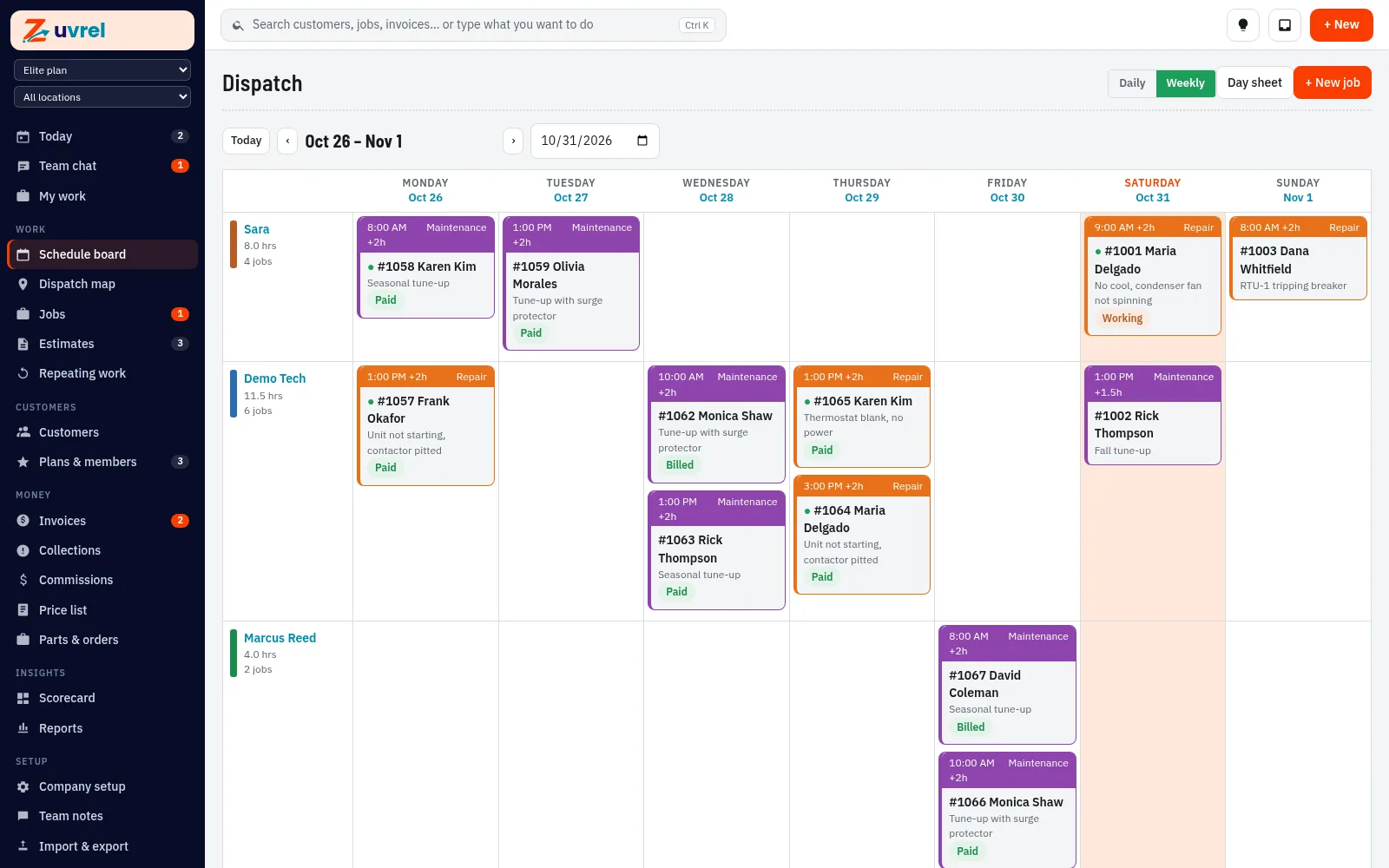
A clear weekly board

Each tech’s hours and jobs for the week, with job status at a glance. Drag-and-drop schedule board. Techs see their jobs, notes and history on their phones.

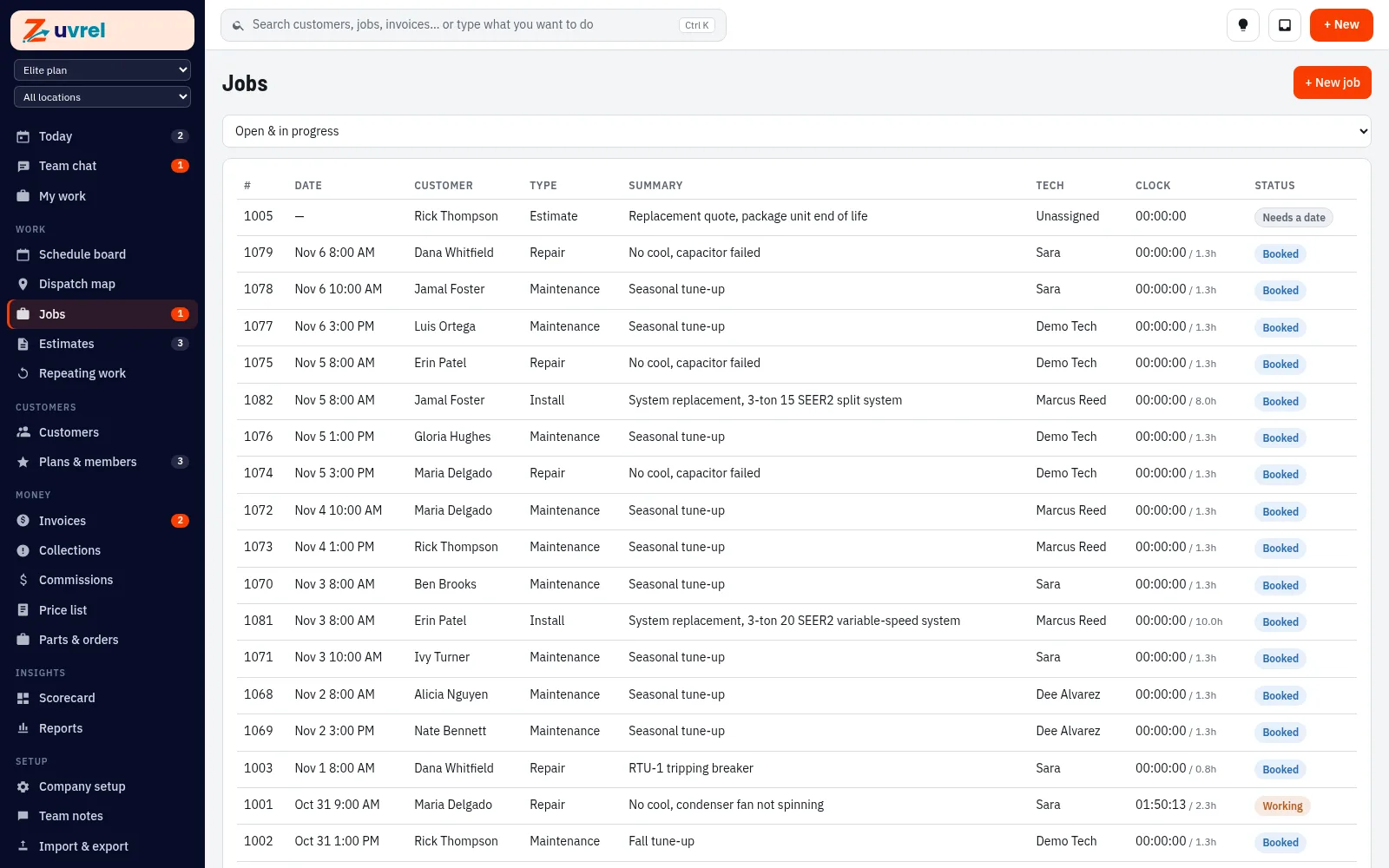
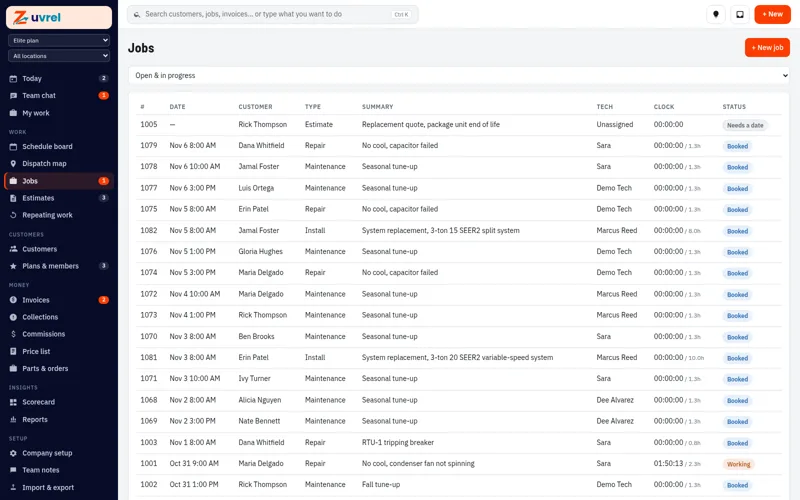
  • Jobs list with status, tech and totals
    Jobs list with status, tech and totals
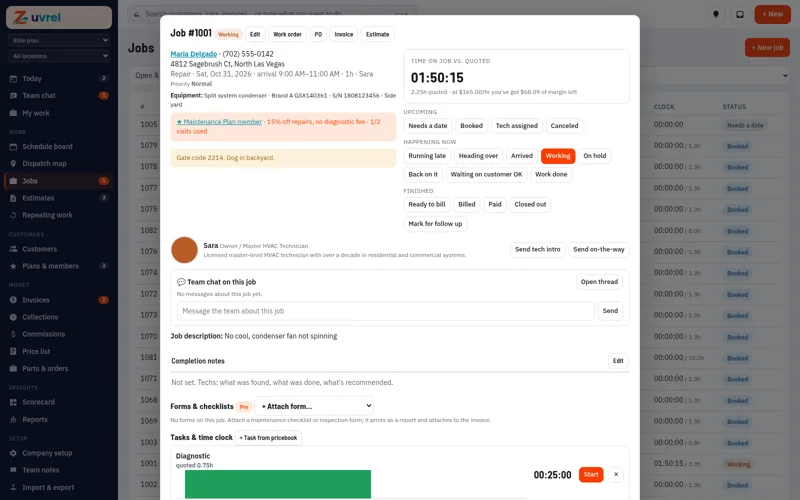
  • A job with its status steps and notes
    A job with its status steps and notes

Try this in the sandbox 48 hours, real screens, sample data

Weekly schedule board with jobs for each technician

Weekly schedule board with jobs for each technician

Estimates customers approve online

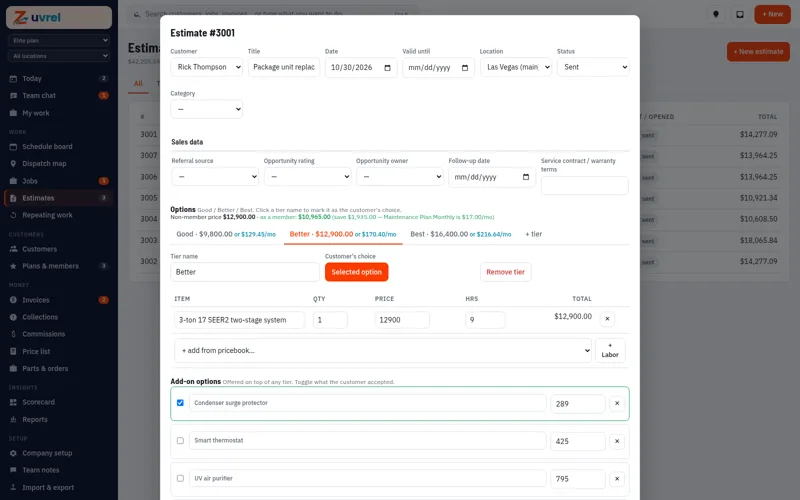
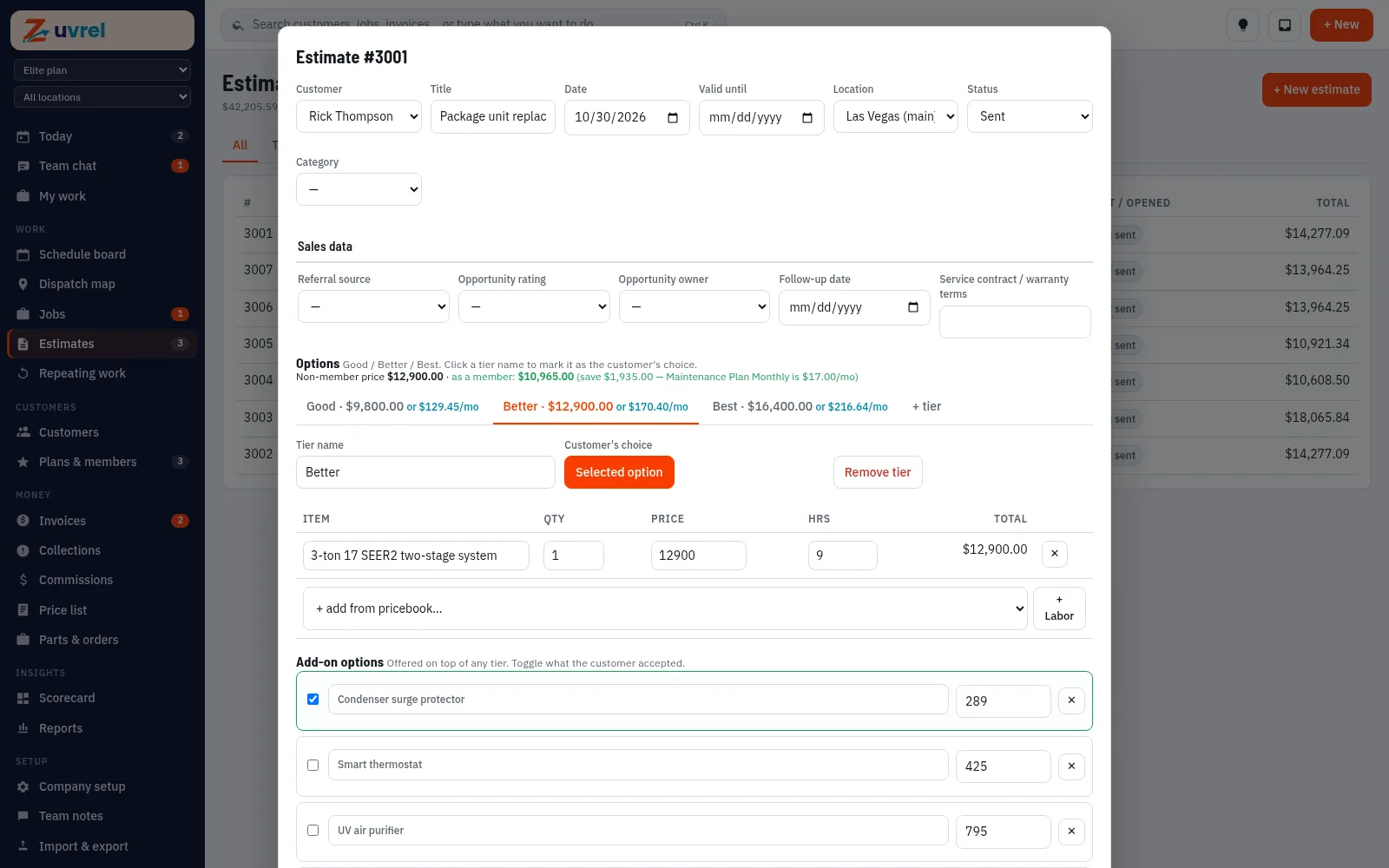
Good, better and best options.

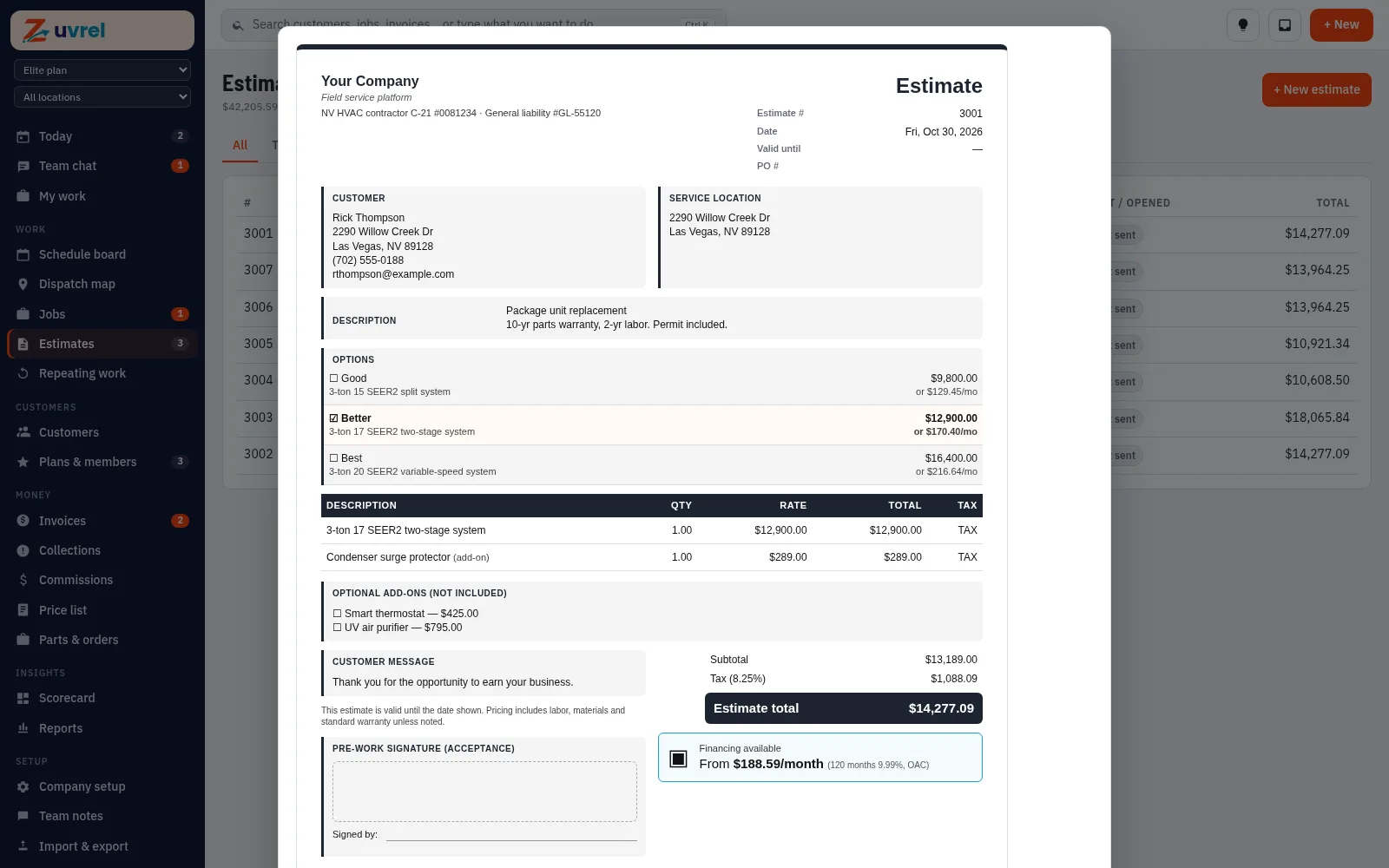
Good, better and best options from your price list. Customers choose, sign and approve from a link. Price-list groups add a whole install or repair (parts, labor and fees) with one pick, shown to the customer as one line or item by item. Pro and Elite add monthly payment estimates on quotes.

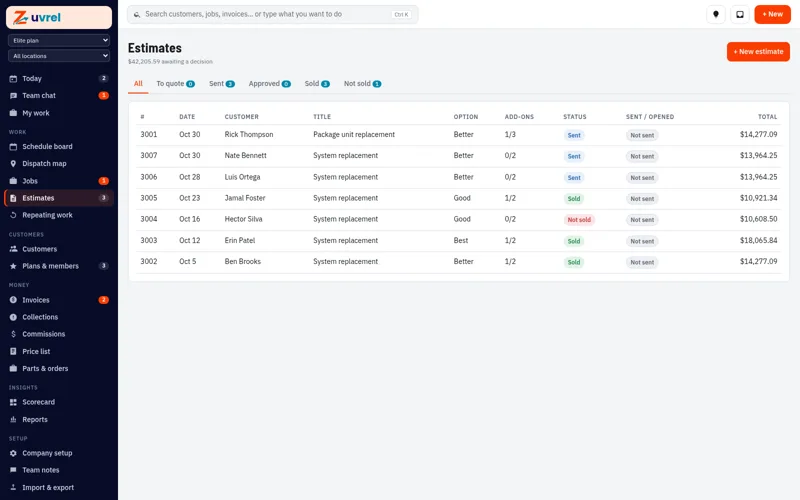
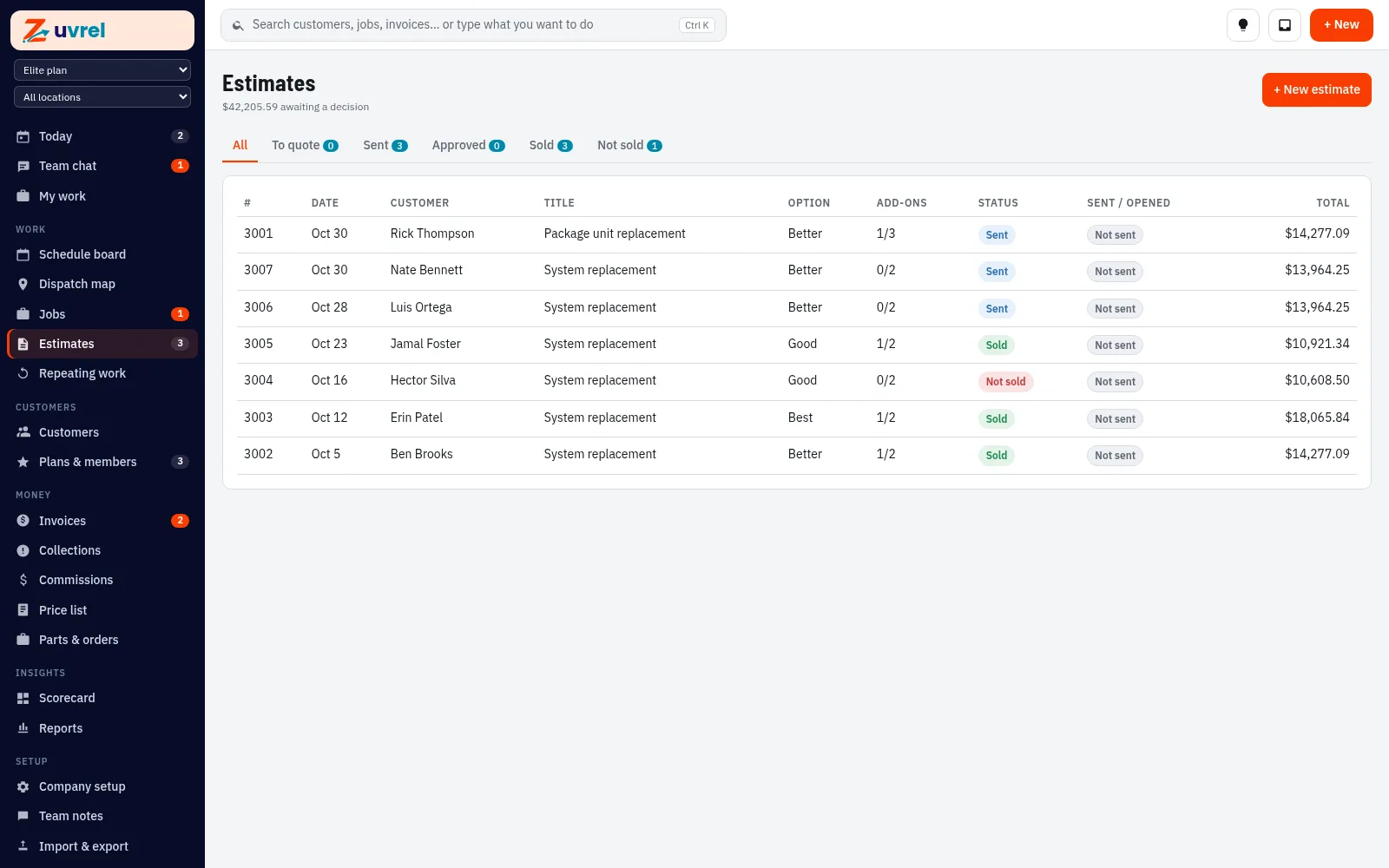
  • Estimates list with option chosen and status
    Estimates list with option chosen and status
  • An estimate in the office view
    An estimate in the office view

Try this in the sandbox 48 hours, real screens, sample data

Customer-ready estimate with three options and add-ons

Customer-ready estimate with three options and add-ons

“We guess at labor and lose money.”

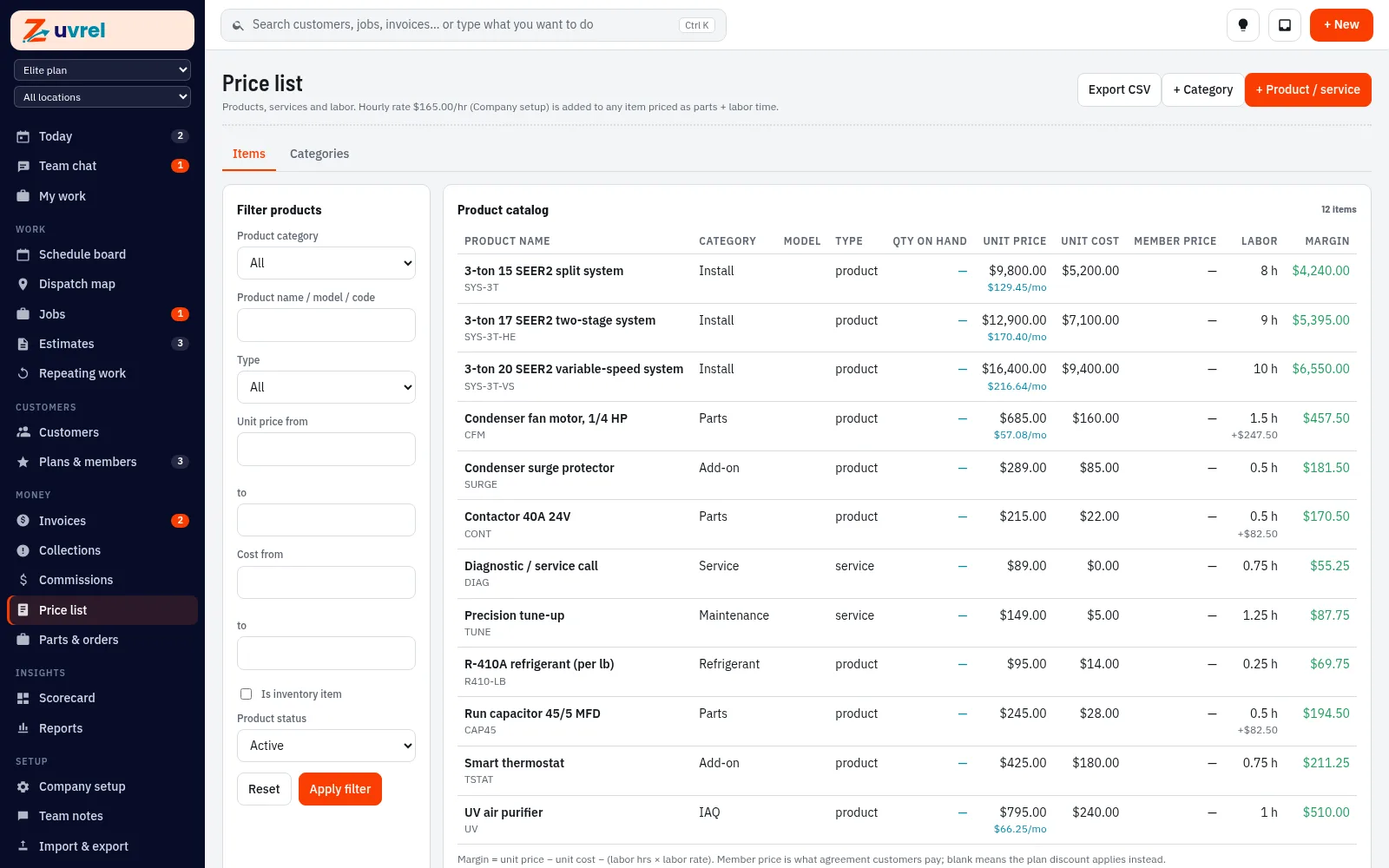
Labor time priced for you

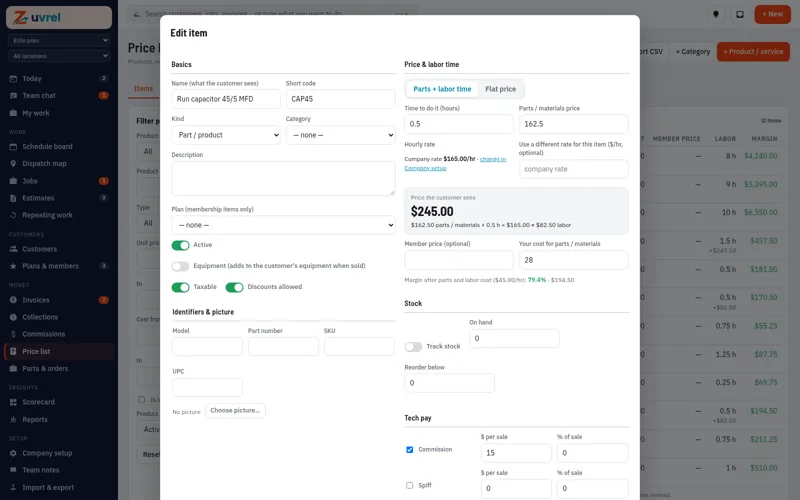
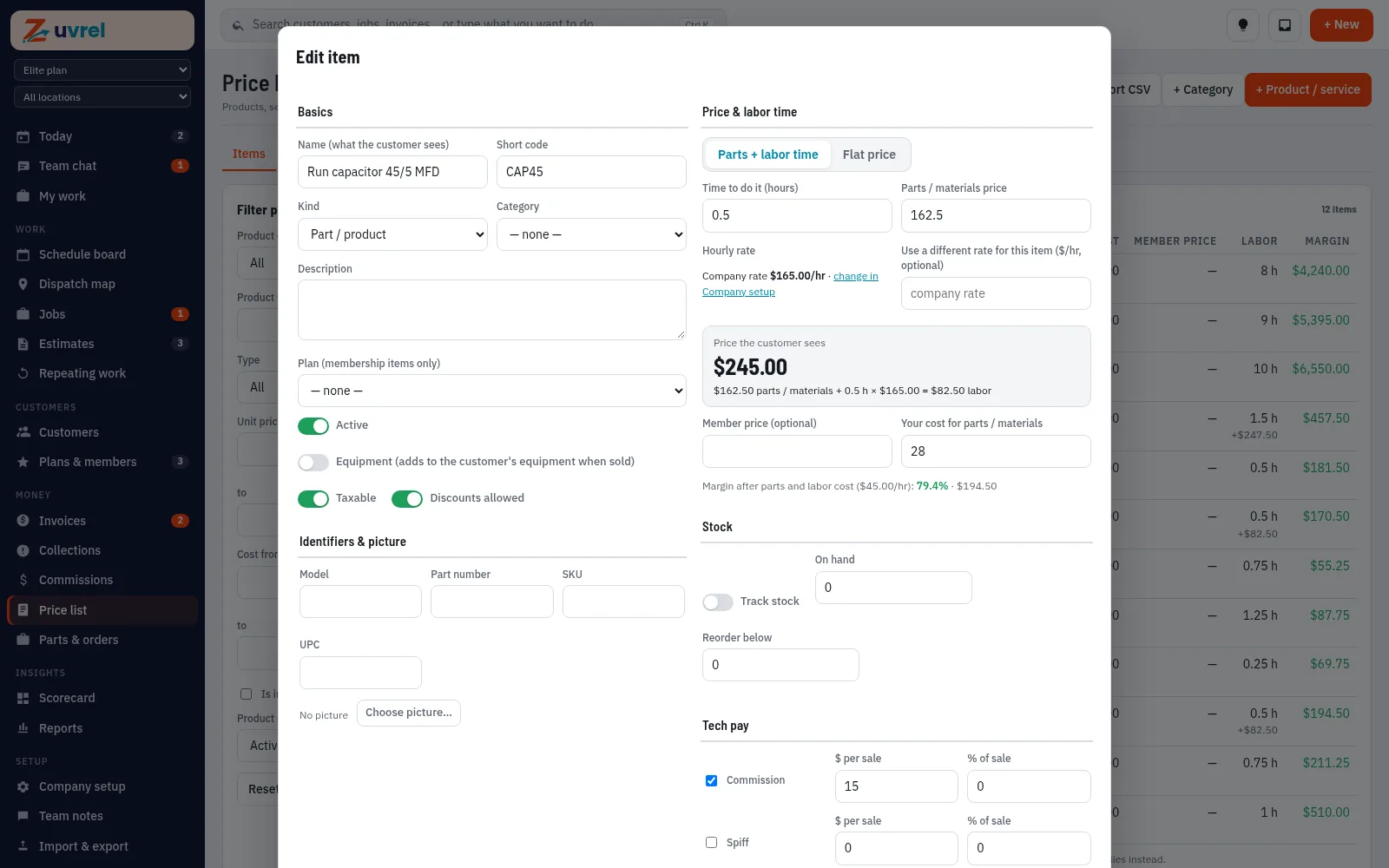
Enter the hours once. Zuvrel adds labor at your shop rate and shows your margin. Zuvrel prices every item at your shop rate and updates when the rate changes.

  • Editing a price list item: hours, shop rate and margin
    Editing a price list item: hours, shop rate and margin

Try this in the sandbox 48 hours, real screens, sample data

Price list with labor-time pricing

Price list with labor-time pricing

Invoices and payments

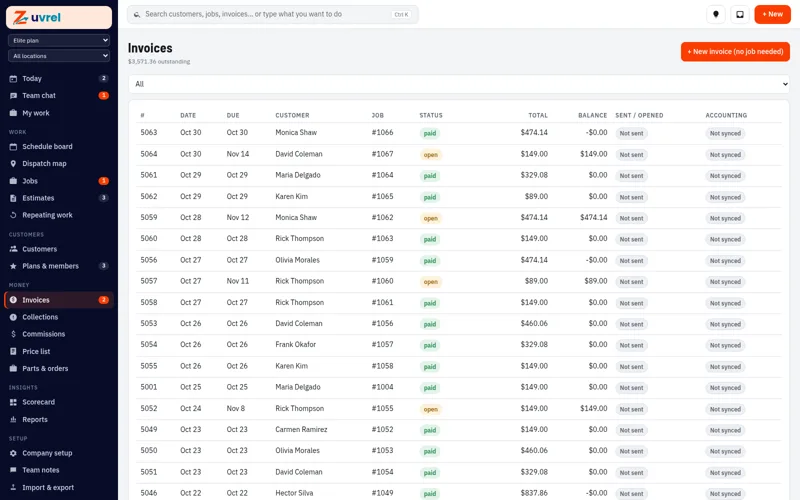
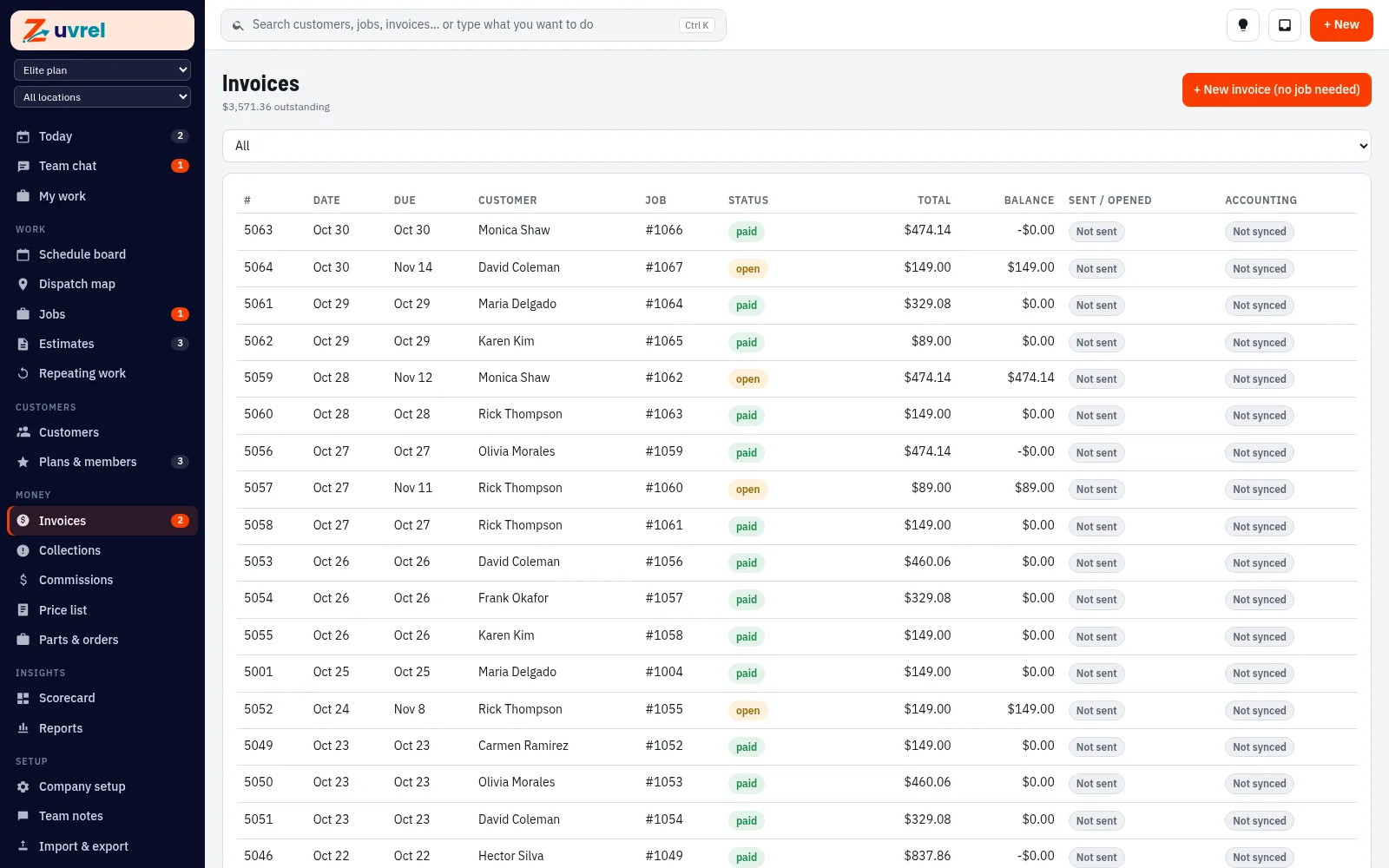
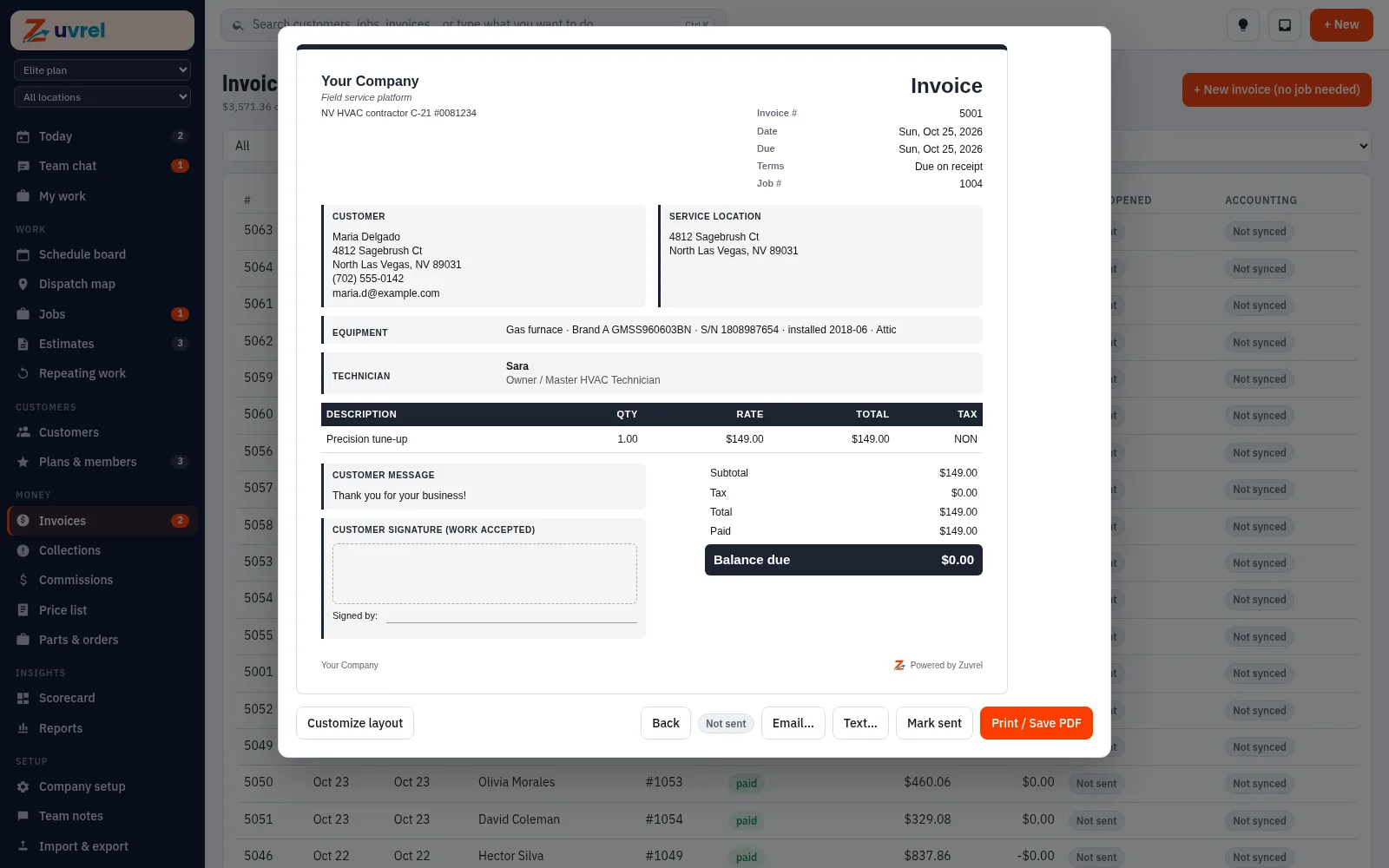
Send by email or text with a pay link.

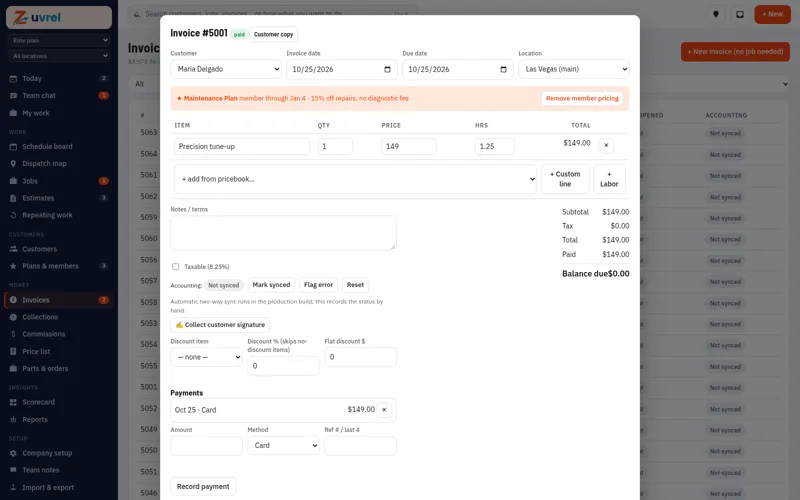
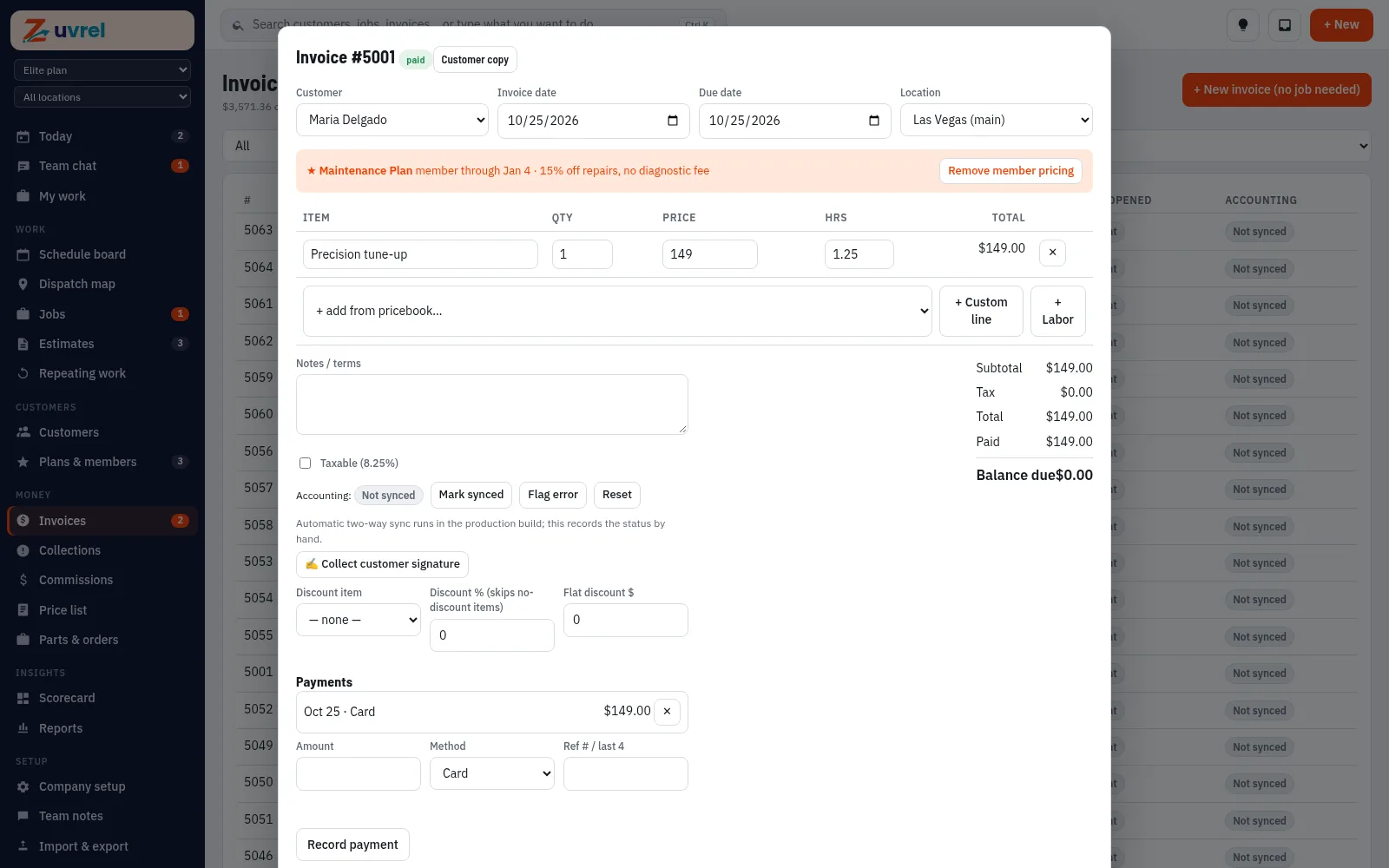
Send by email or text with a pay link. Two-way accounting software sync (Coming).

  • Invoices list
    Invoices list
  • An invoice in the office view
    An invoice in the office view

Try this in the sandbox 48 hours, real screens, sample data

Customer-ready invoice

Customer-ready invoice

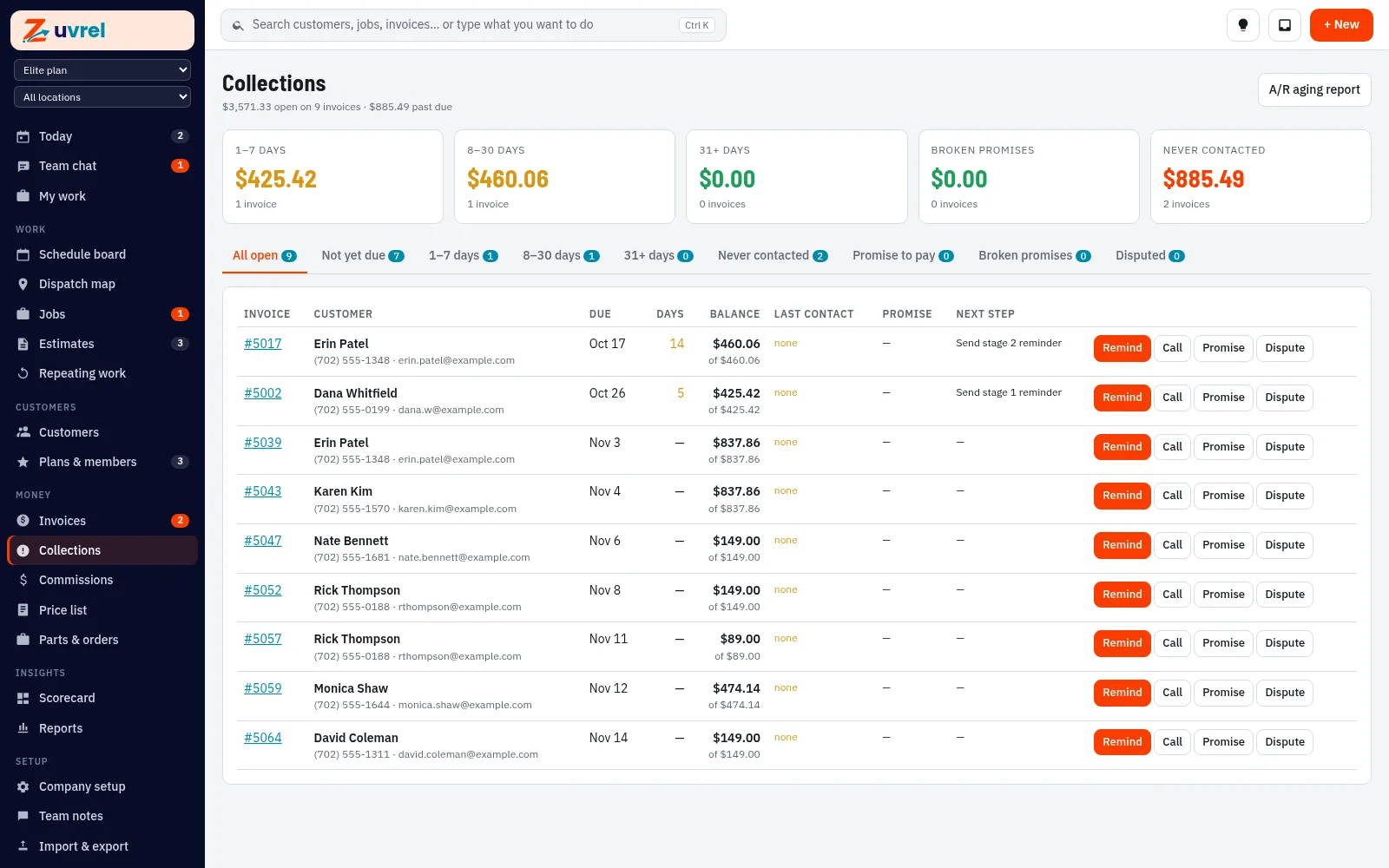
“Chasing unpaid invoices takes all day.”

A collections queue

Past-due invoices sorted by age, with reminders and next steps in one list.

Try this in the sandbox 48 hours, real screens, sample data

Collections: past-due invoices sorted by age

Collections: past-due invoices sorted by age

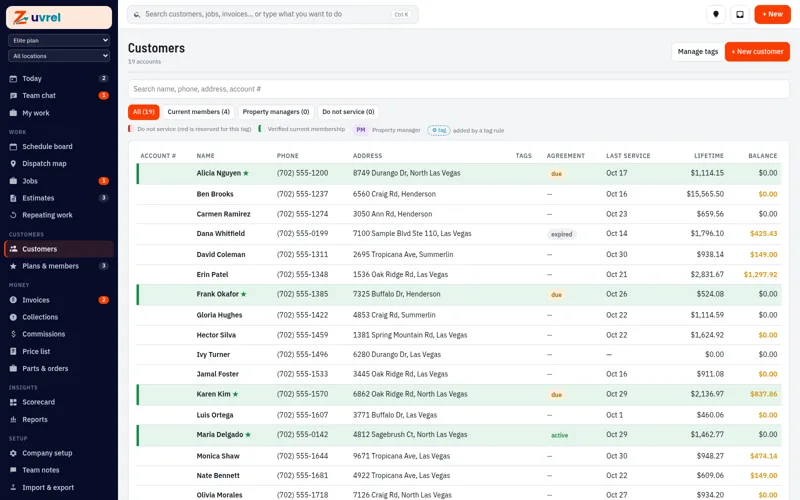
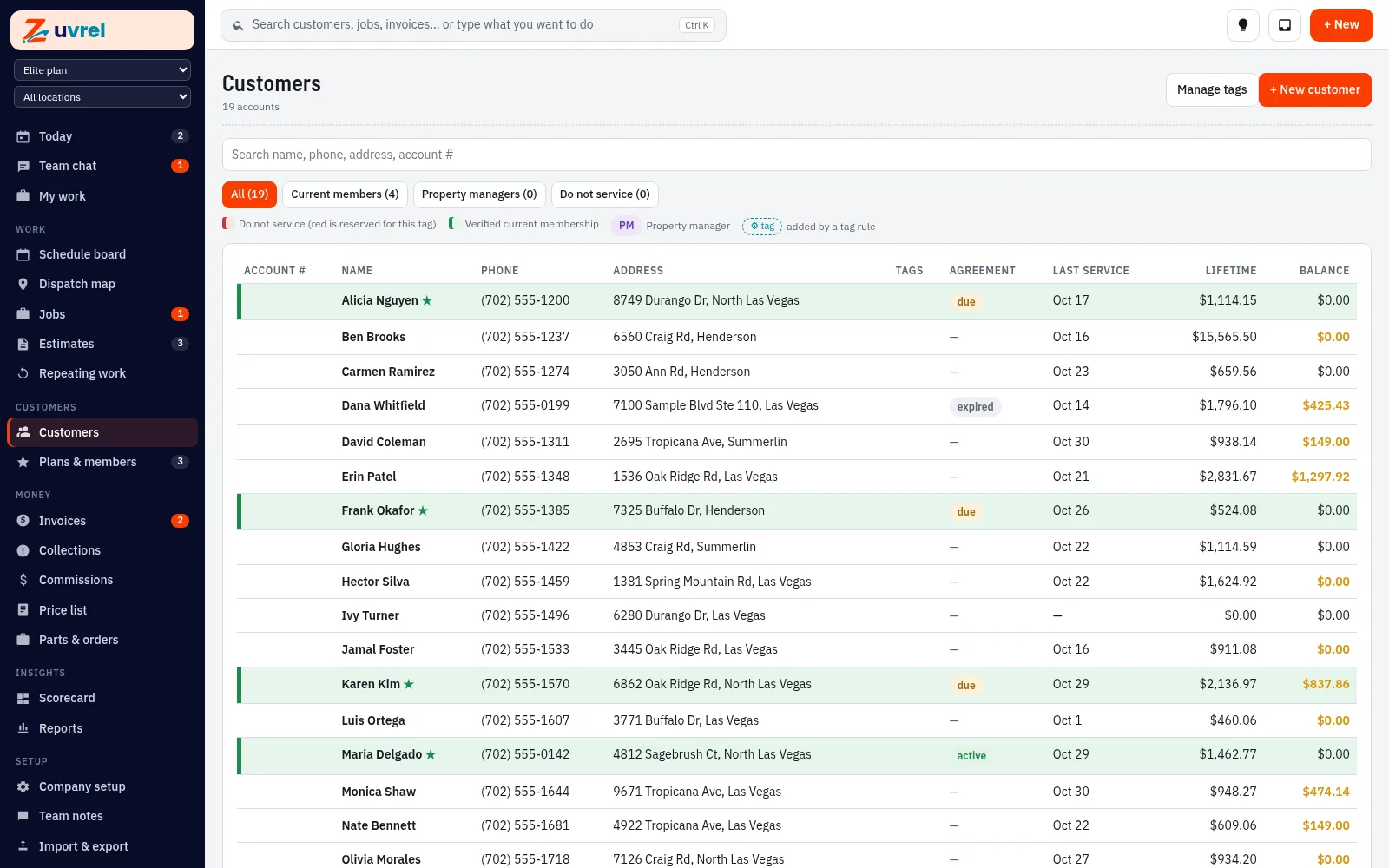
Customers and equipment

Every visit and unit on file.

Every visit and unit on file. Photo scan of equipment data tags (Coming).

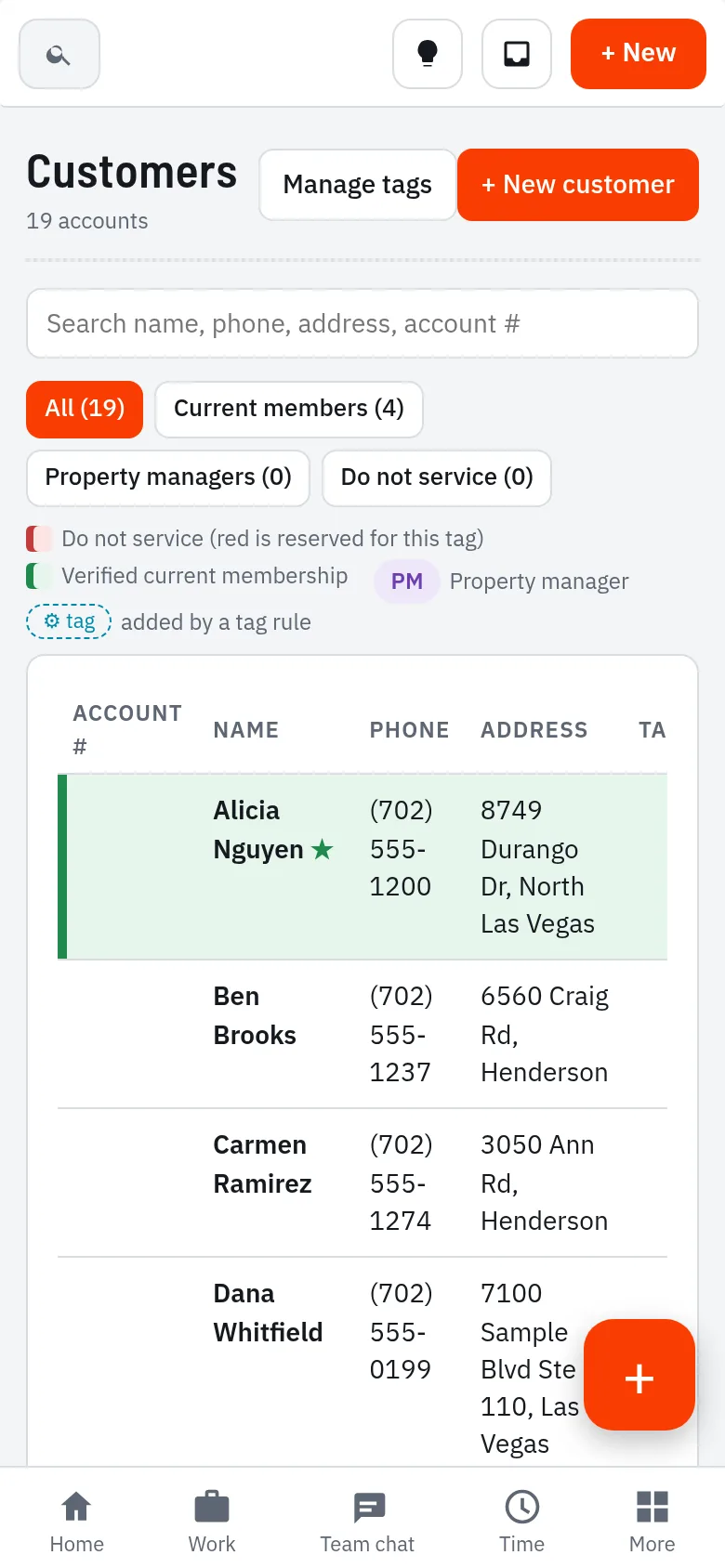
  • Customers list
    Customers list

Try this in the sandbox 48 hours, real screens, sample data

Customer record with equipment, agreements and history

Customer record with equipment, agreements and history

“My dashboard shows stuff I don’t need.”

A home screen you set up

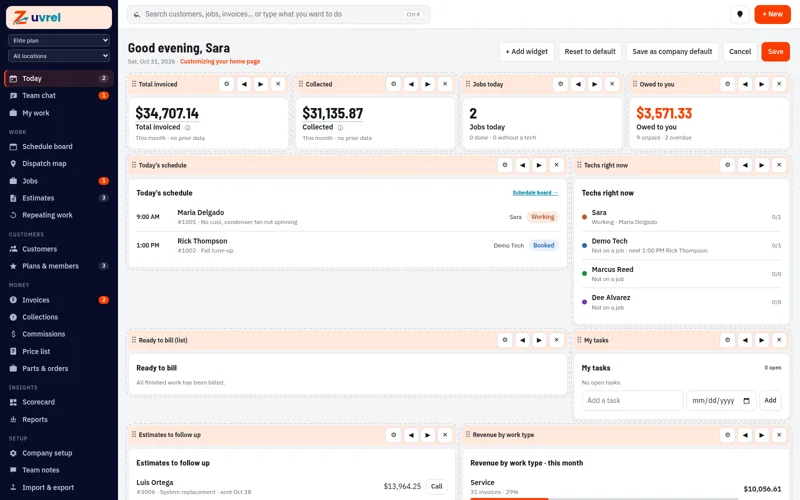
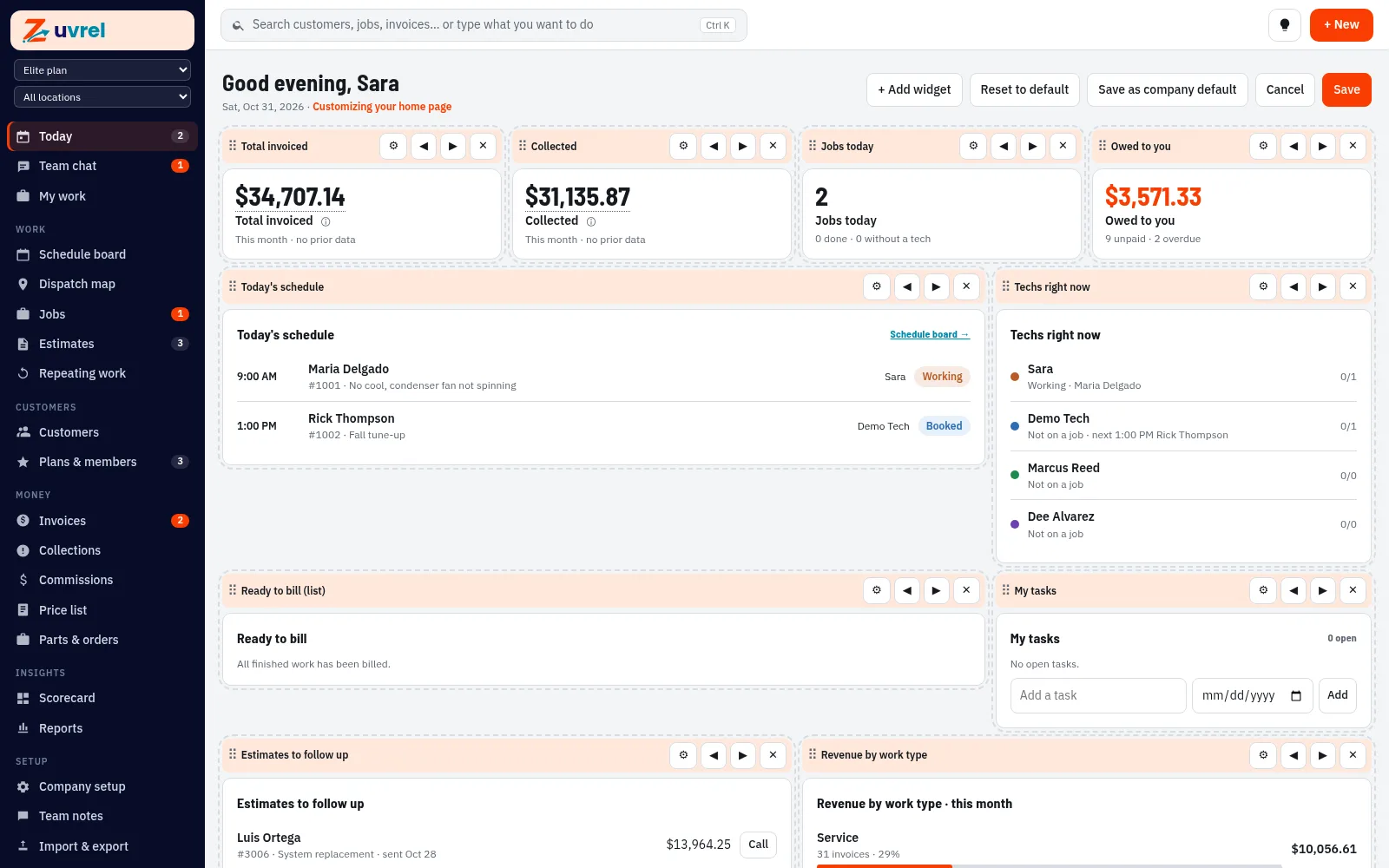
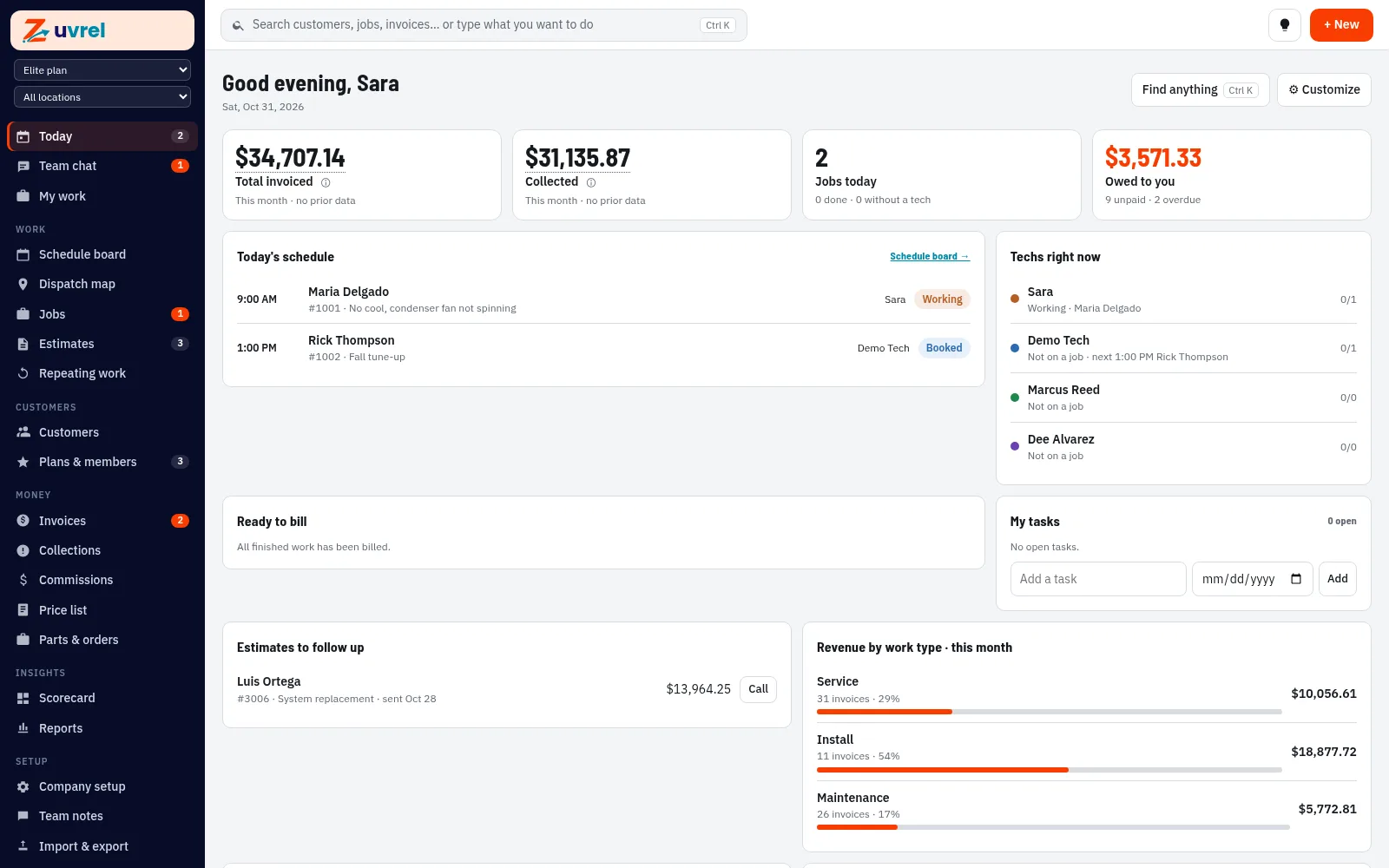
Each person adds, removes and reorders what they see. Owners can set a company default. Money in and owed, today’s jobs and what each tech is working on.

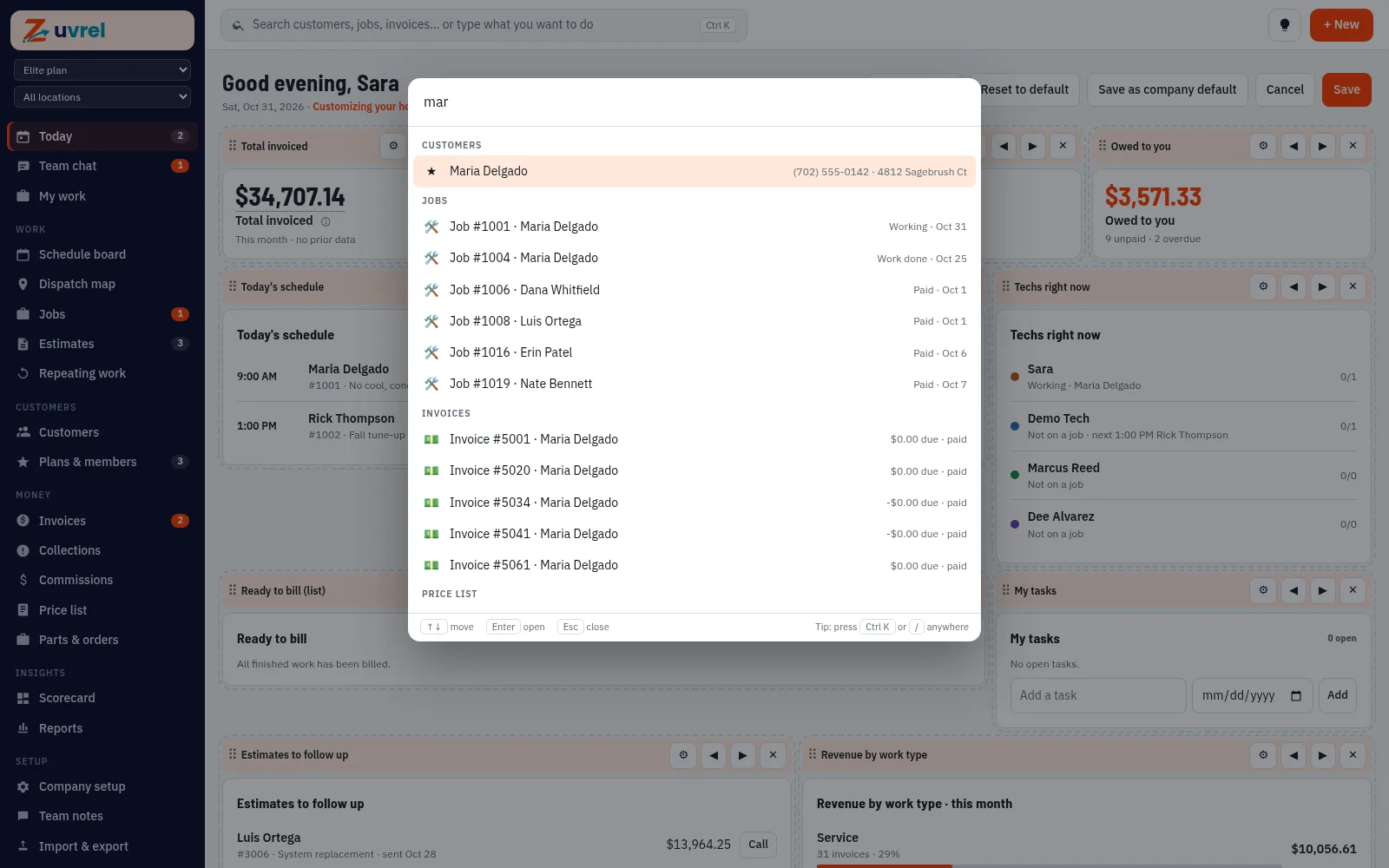
  • Arranging the home screen
    Arranging the home screen
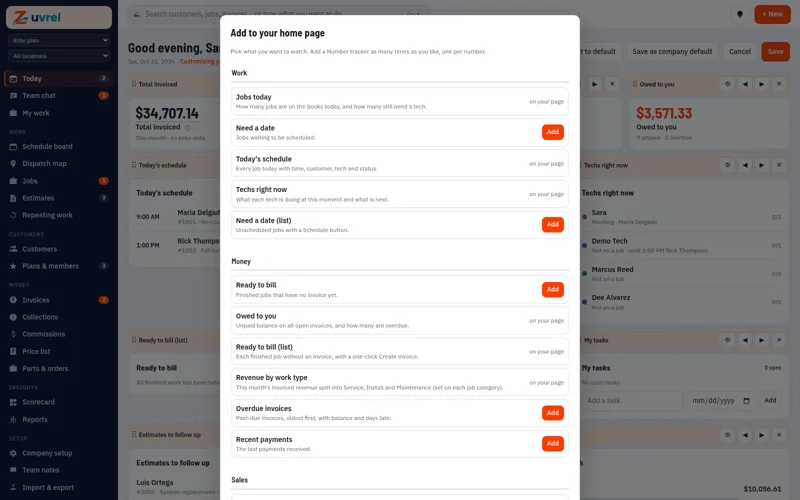
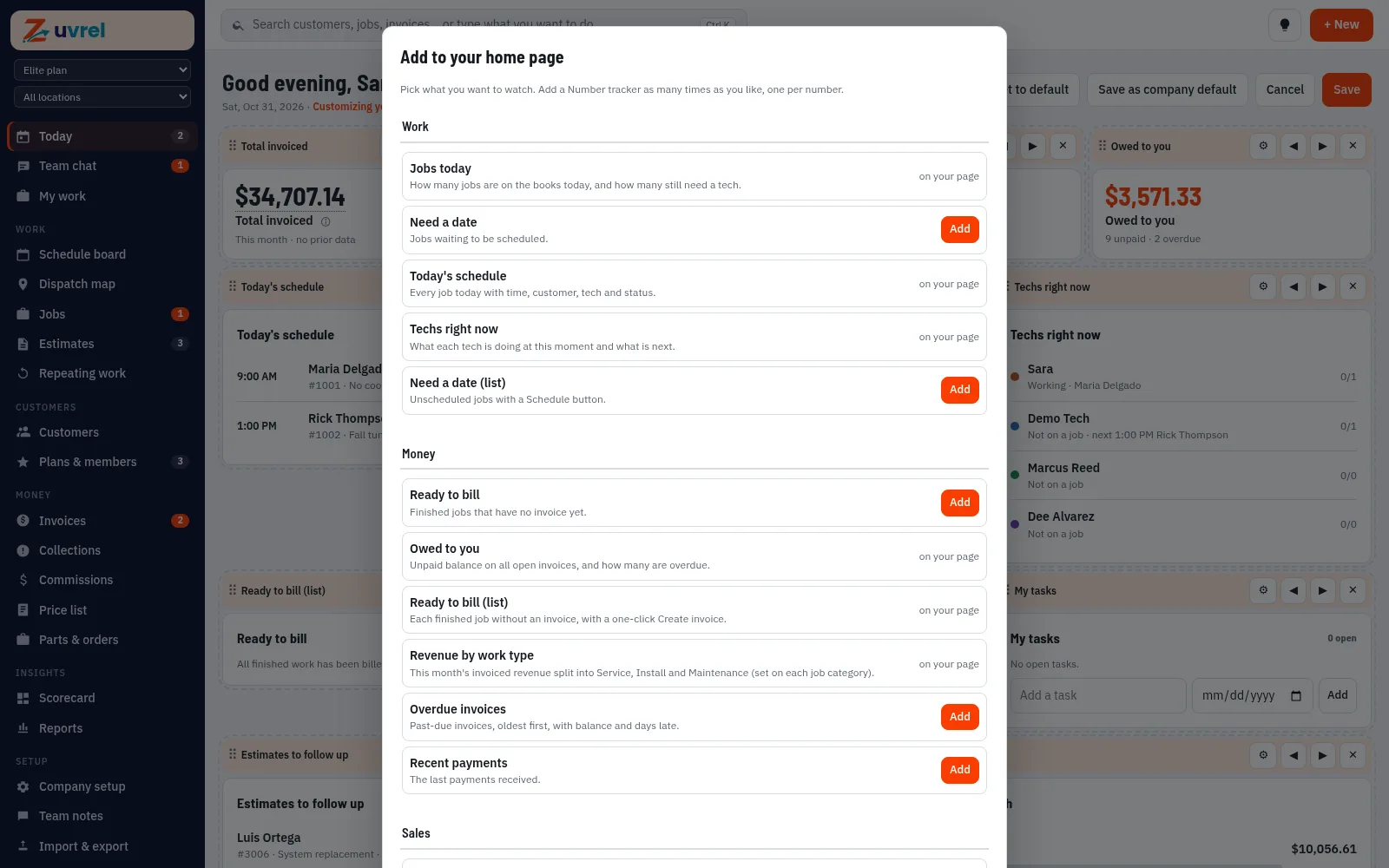
  • Adding a card to the home screen
    Adding a card to the home screen

Try this in the sandbox 48 hours, real screens, sample data

Your day at a glance: money in and owed, today’s jobs and techs right now

Your day at a glance: money in and owed, today’s jobs and techs right now

Elite

Custom forms and checklists

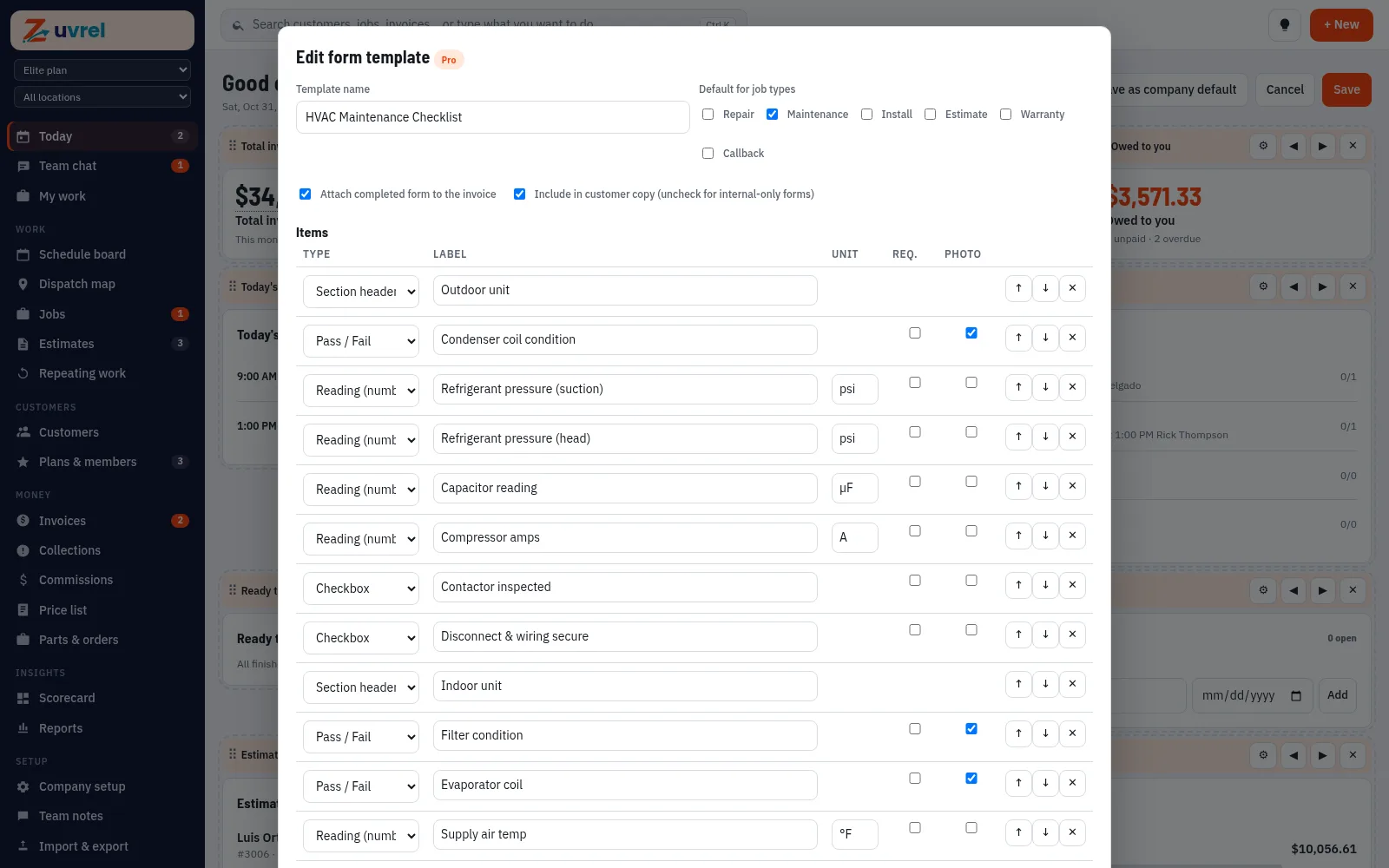
Custom forms and checklists. Elite.

Try this in the sandbox 48 hours, real screens, sample data

Building a maintenance checklist (Elite)

Building a maintenance checklist (Elite)

Reports with one set of definitions

Numbers that match

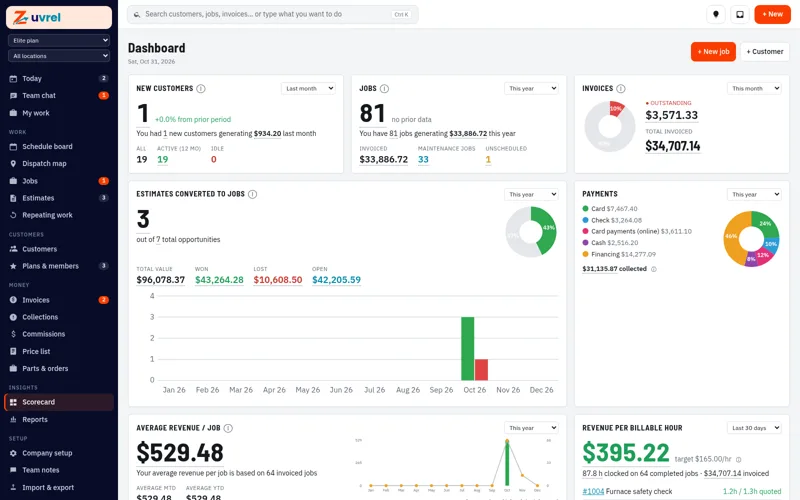
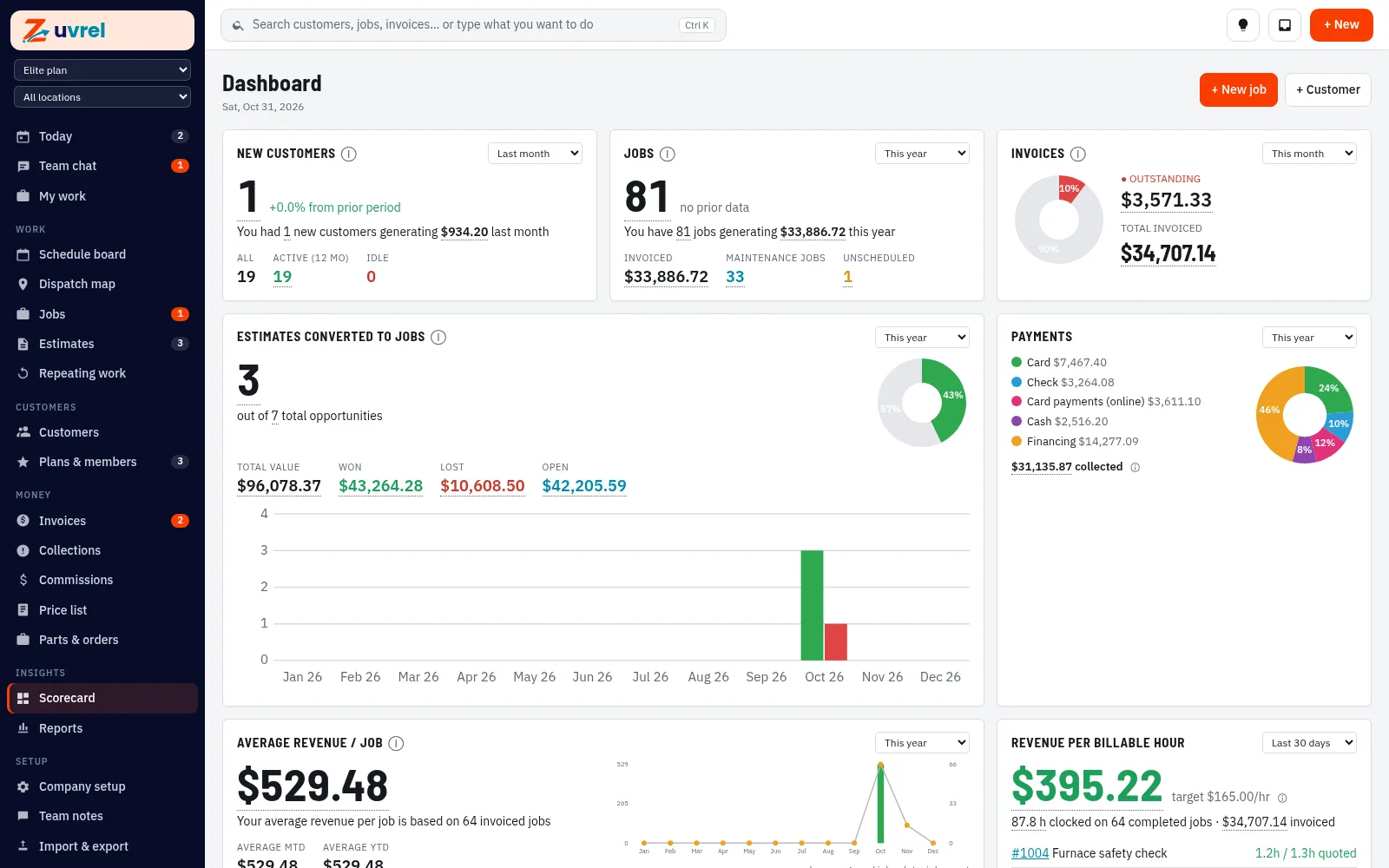
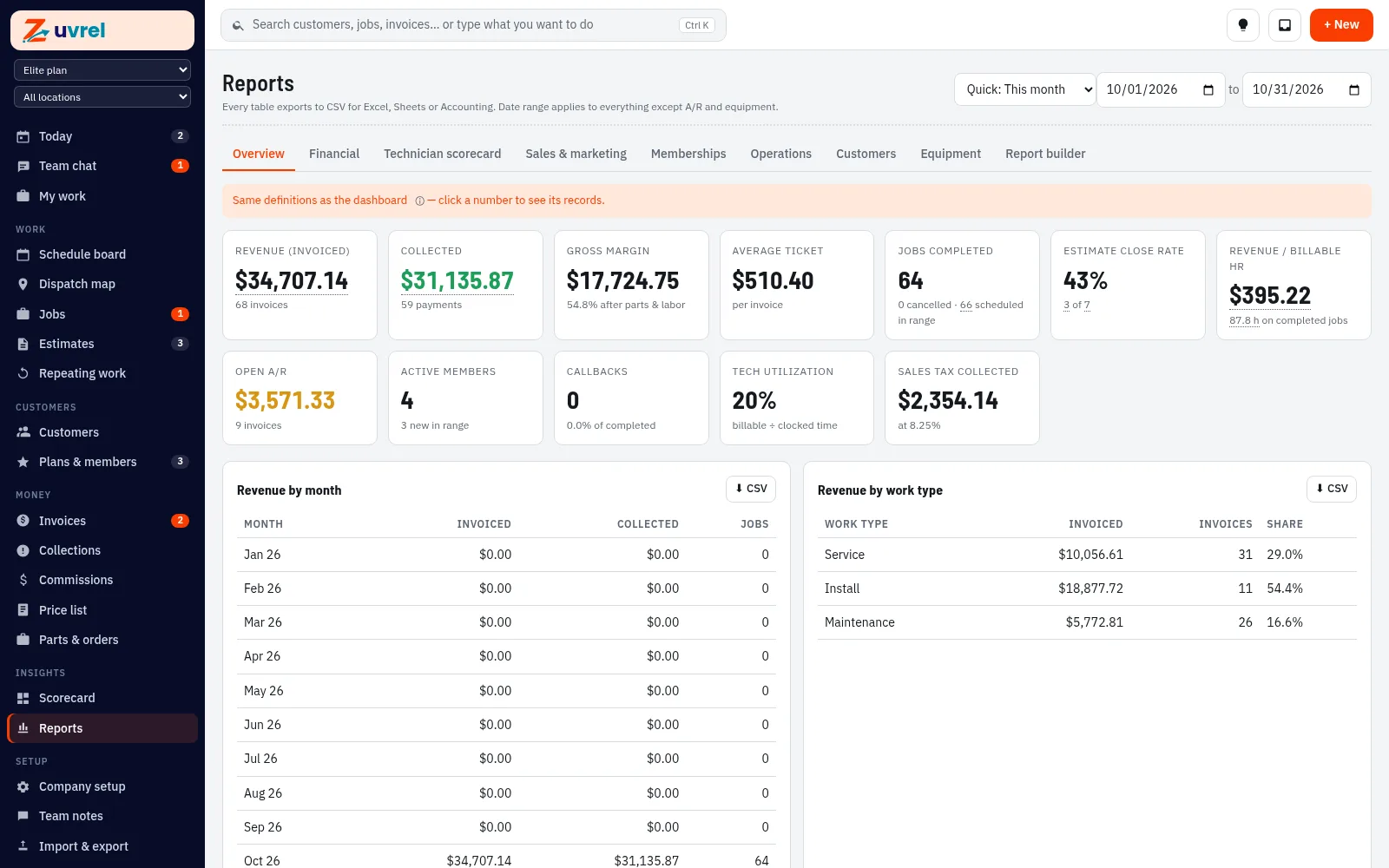
Dashboard and reports use the same math. Key numbers open to the records behind them. Pro and Elite add the technician scorecard and a KPI scorecard for the owner. Elite adds the report builder.

  • KPI scorecard (Pro and Elite)
    KPI scorecard (Pro and Elite)

Try this in the sandbox 48 hours, real screens, sample data

Reports use the same definitions as the dashboard

Reports use the same definitions as the dashboard

“Office and techs can’t stay in touch.”

Team chat built in

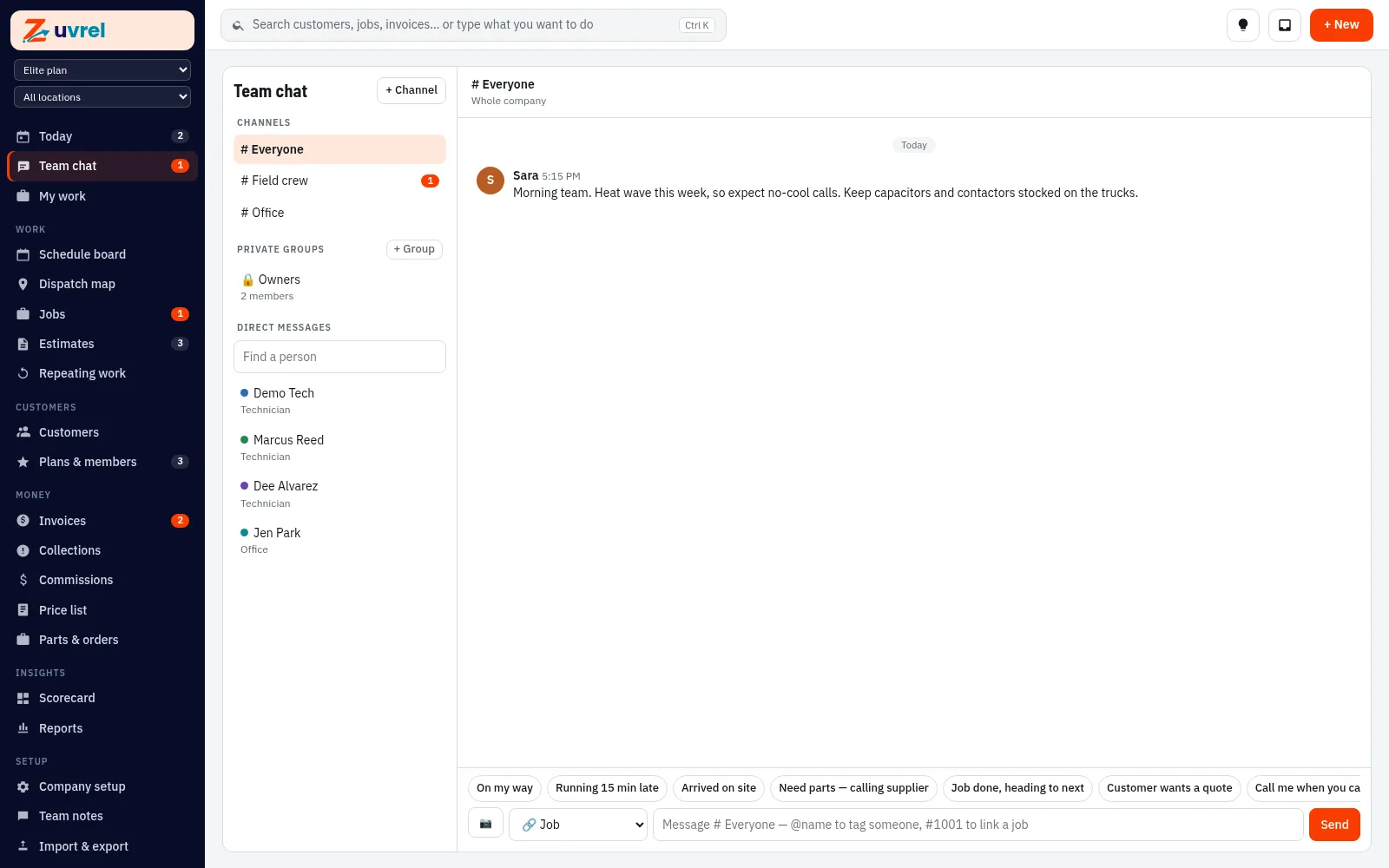
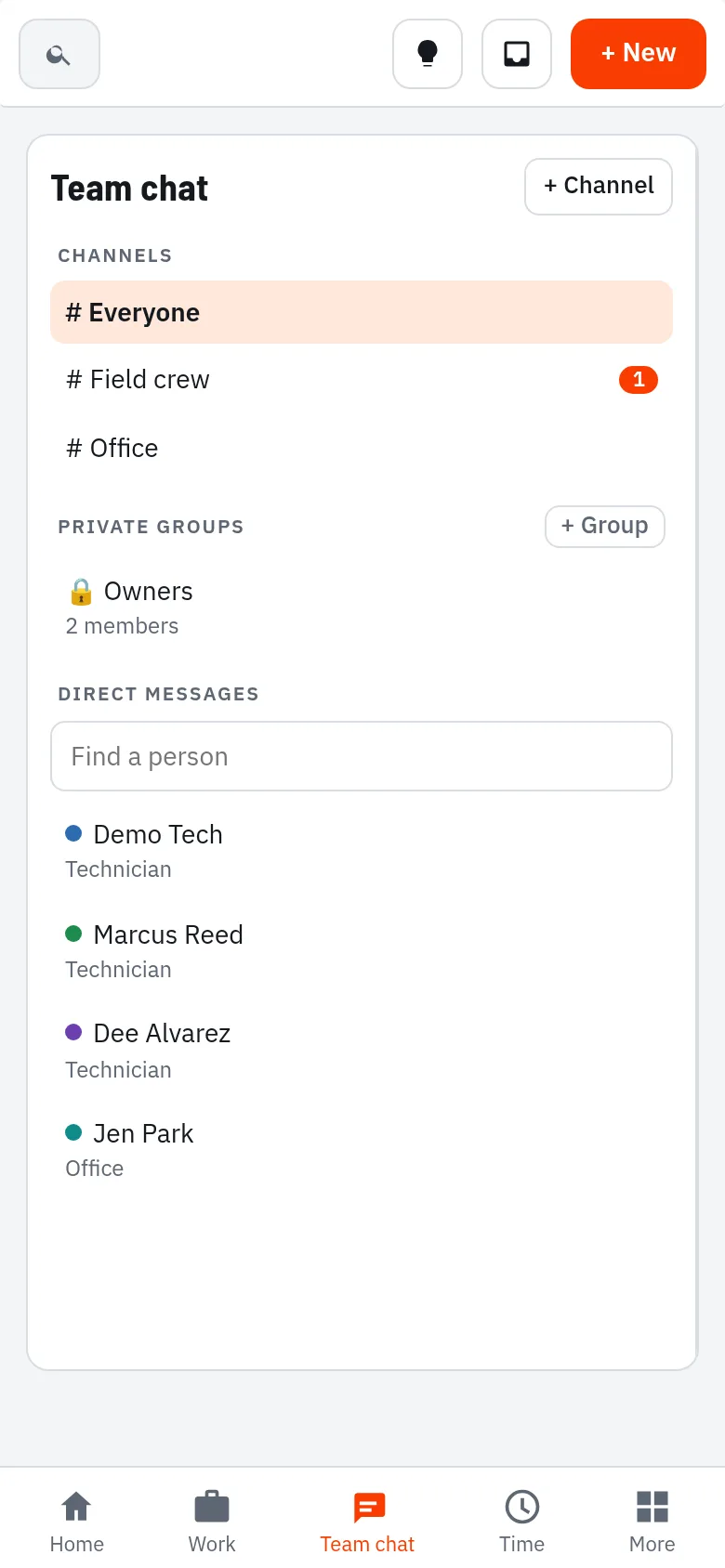
Channels, private groups, direct messages and a thread on every job. Pro and Elite.

Try this in the sandbox 48 hours, real screens, sample data

Team chat with channels and job threads (Pro and Elite)

Team chat with channels and job threads (Pro and Elite)

Memberships and maintenance agreements

“Our memberships are a mess.”

We hear it from shop after shop. Members are your steadiest income, but the plans live in spreadsheets, sticky notes and someone’s memory. Zuvrel puts agreements, visits due and renewals in one place.

Sound familiar?

  • Renewals slip past and members quietly drop off.
  • Nobody knows which tune-ups are due this month.
  • You can’t say what the plans bring in each month.
  • Techs don’t know who’s a member, so perks get missed.
  • Expired members never hear from you again.

Zuvrel tracks agreements, visits due and renewals for you.

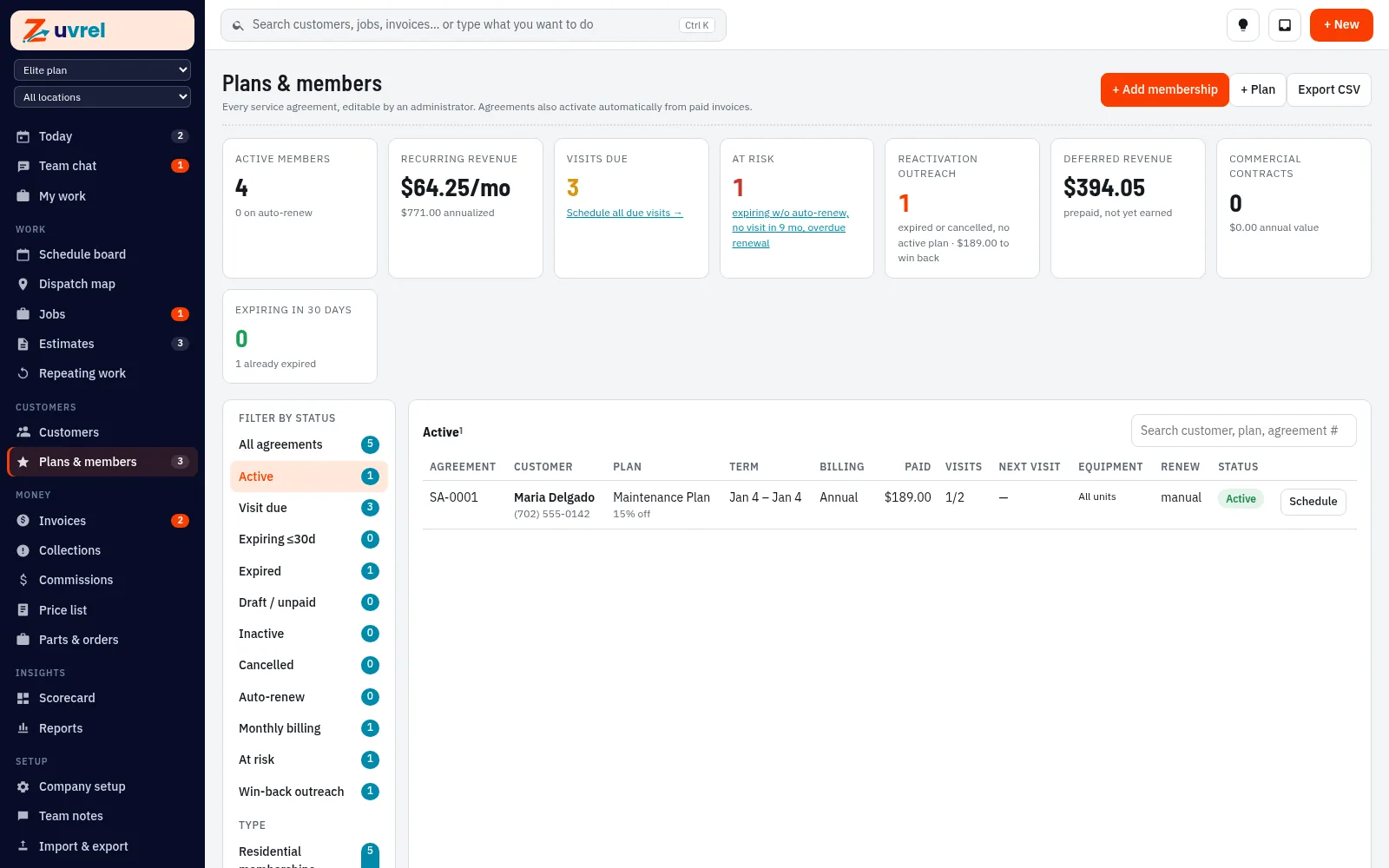
Plans and members screen: active members, recurring revenue, visits due, renewals at risk and win-back outreach

Plans and members: visits due, renewals at risk and recurring revenue on one screen

  • Visits due, counted for youSee every maintenance visit that’s due and schedule them from the same screen.
  • Renewals at risk, flagged earlyAgreements expiring without auto-renew, with no visit in 9 months or with an overdue renewal are flagged. Send a visit or renewal reminder from the agreement.
  • Recurring revenue at a glanceActive members, recurring revenue and deferred revenue on one screen, with monthly or annual billing on each agreement.
  • Member perks applied for youEach plan lists its perks, and member pricing applies on estimates and invoices.
  • Win-backs, not lost membersExpired and cancelled members are listed for win-back outreach.

Where membership info goes

Build a plan once. Add a member in a few clicks.

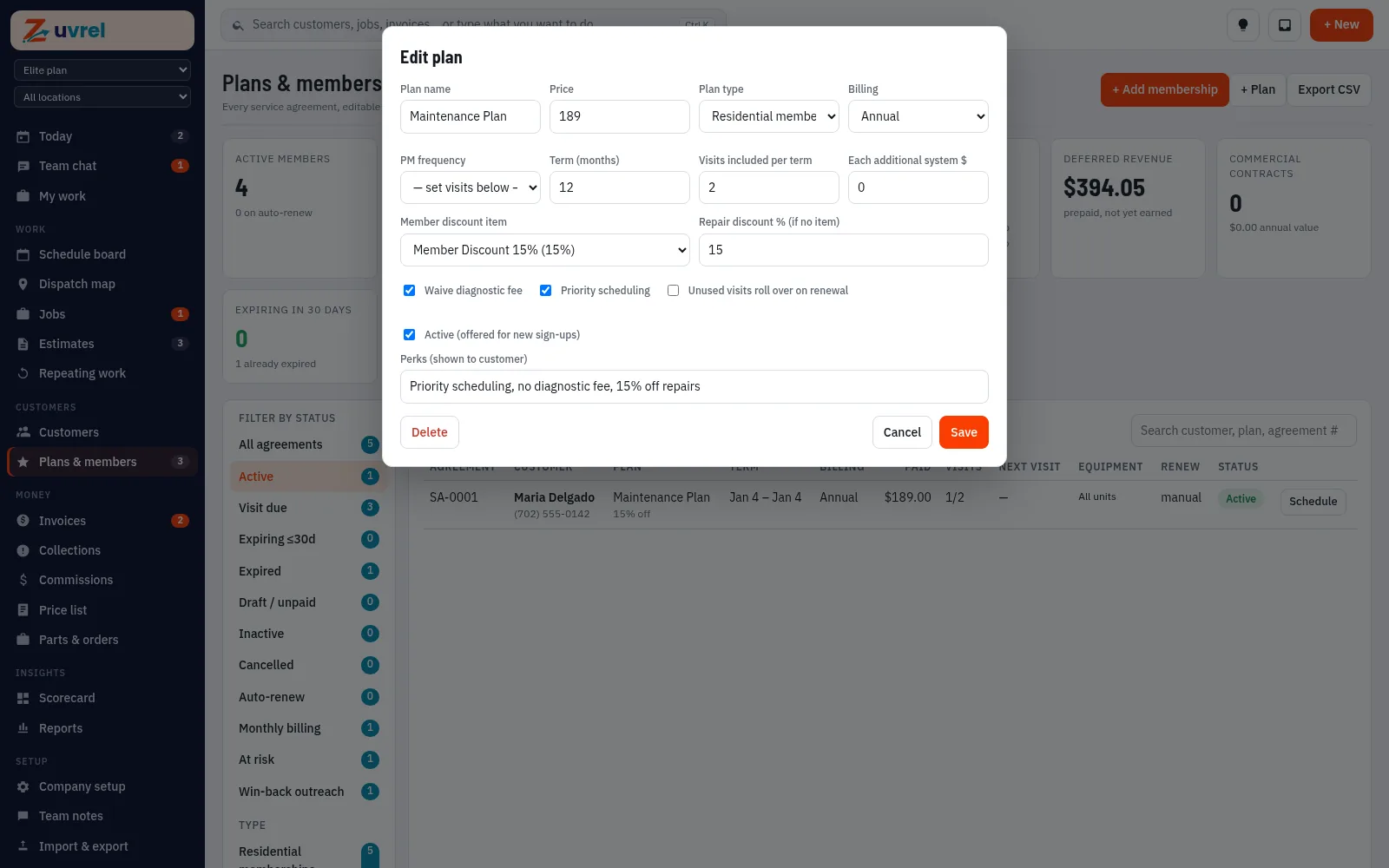
Creating a membership plan: price, billing, term, visits included, member discount and perks
Create or edit a plan. Price, billing, term, visits included, member discount and the perks your customer sees.
Adding a membership to a customer: plan, term, billing and benefits
Add a member from the customer. Pick the plan, set the term and billing, and adjust benefits for that customer if needed.
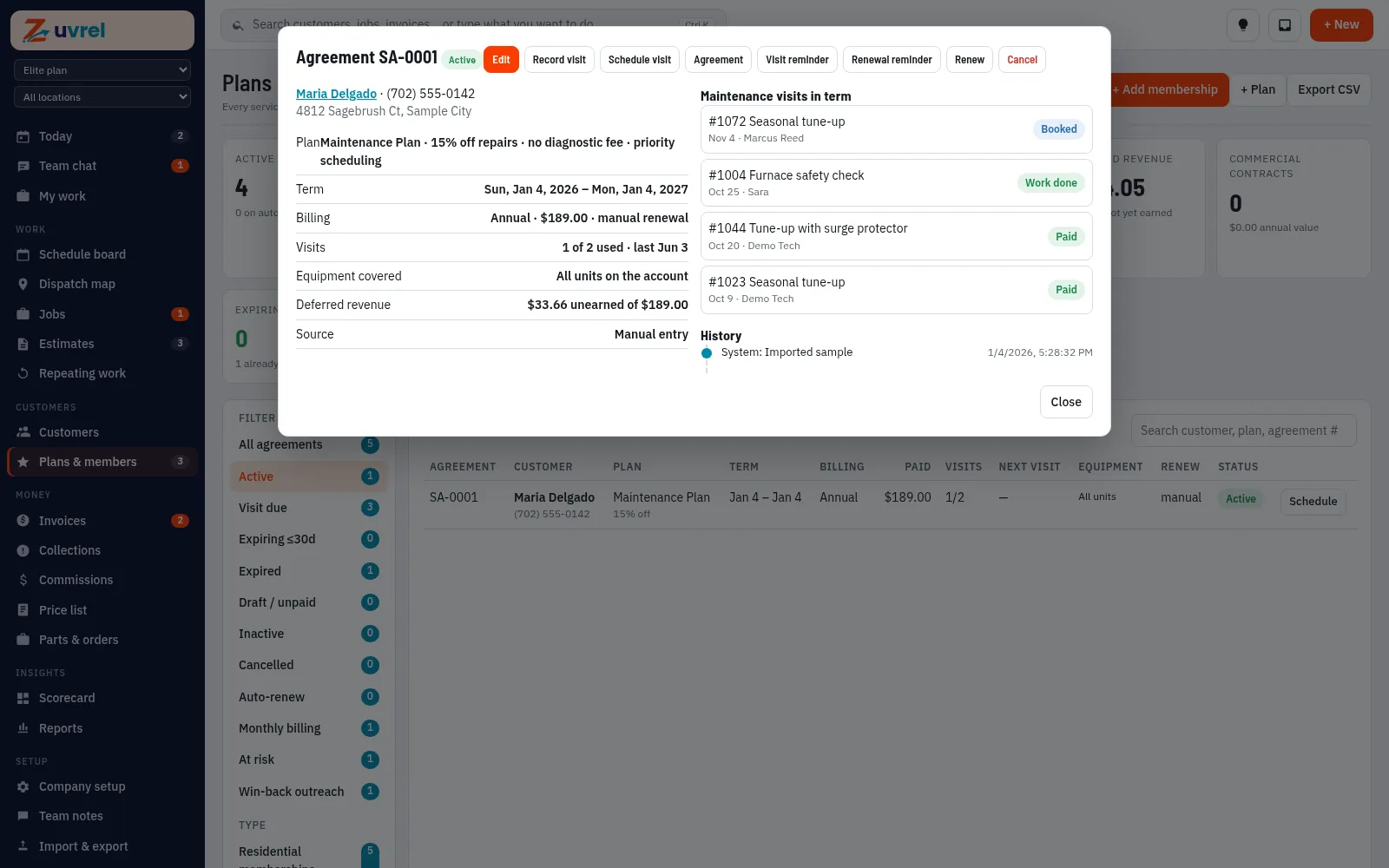
One agreement: plan perks, term, billing, visits used, covered equipment and visits in the term

Included on every plan

Every agreement, start to finish

Open any agreement to see the plan, term, billing, visits used, covered equipment and each maintenance visit in the term. Record or schedule a visit, send a reminder or renew in one click.

Try memberships in the sandbox 48 hours, real screens, sample data

Every plan

Phone and tablet app for every user

Phone and tablet app included on every plan. Use Zuvrel in your browser on desktop and mobile. Dedicated tech app: Coming.

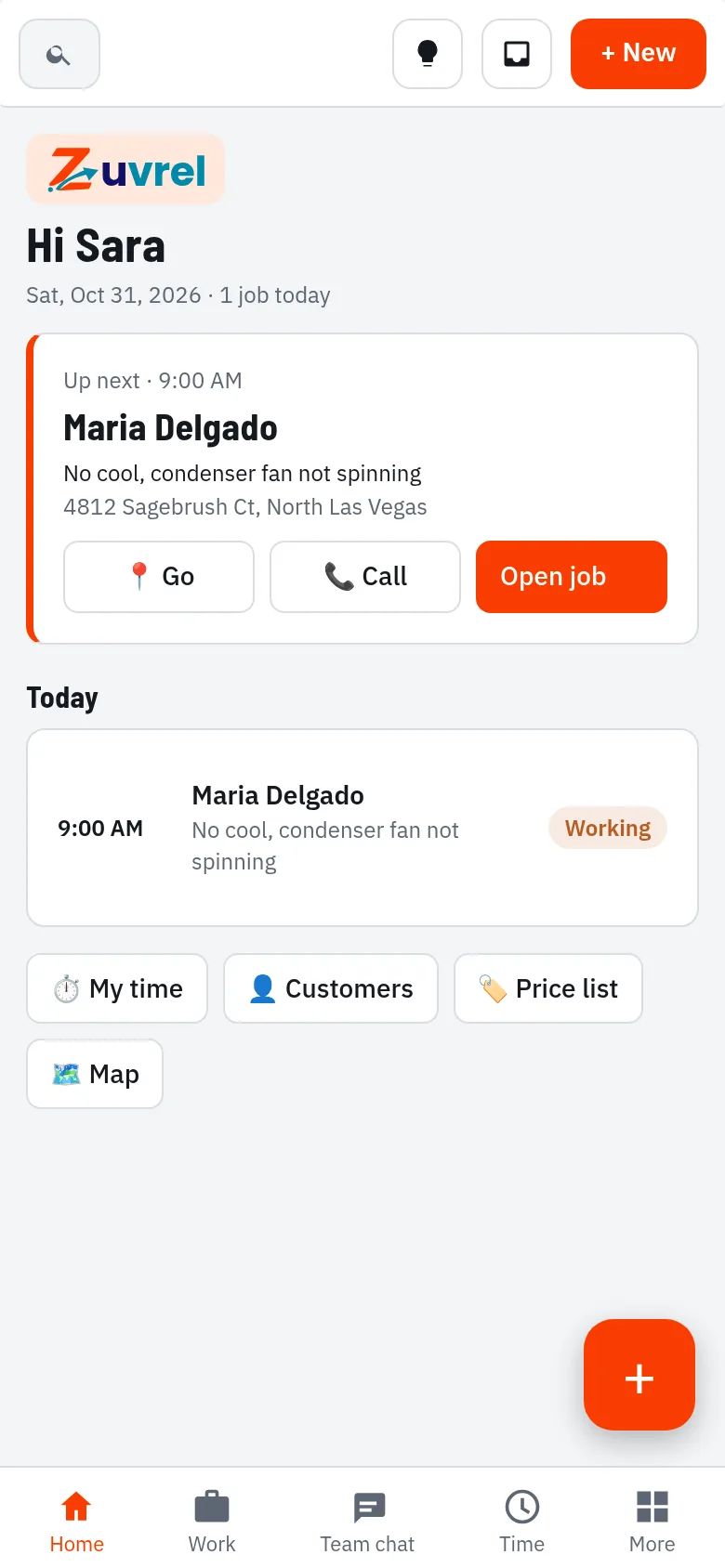
Mobile home screen with the next job

Techs see their jobs, notes and history

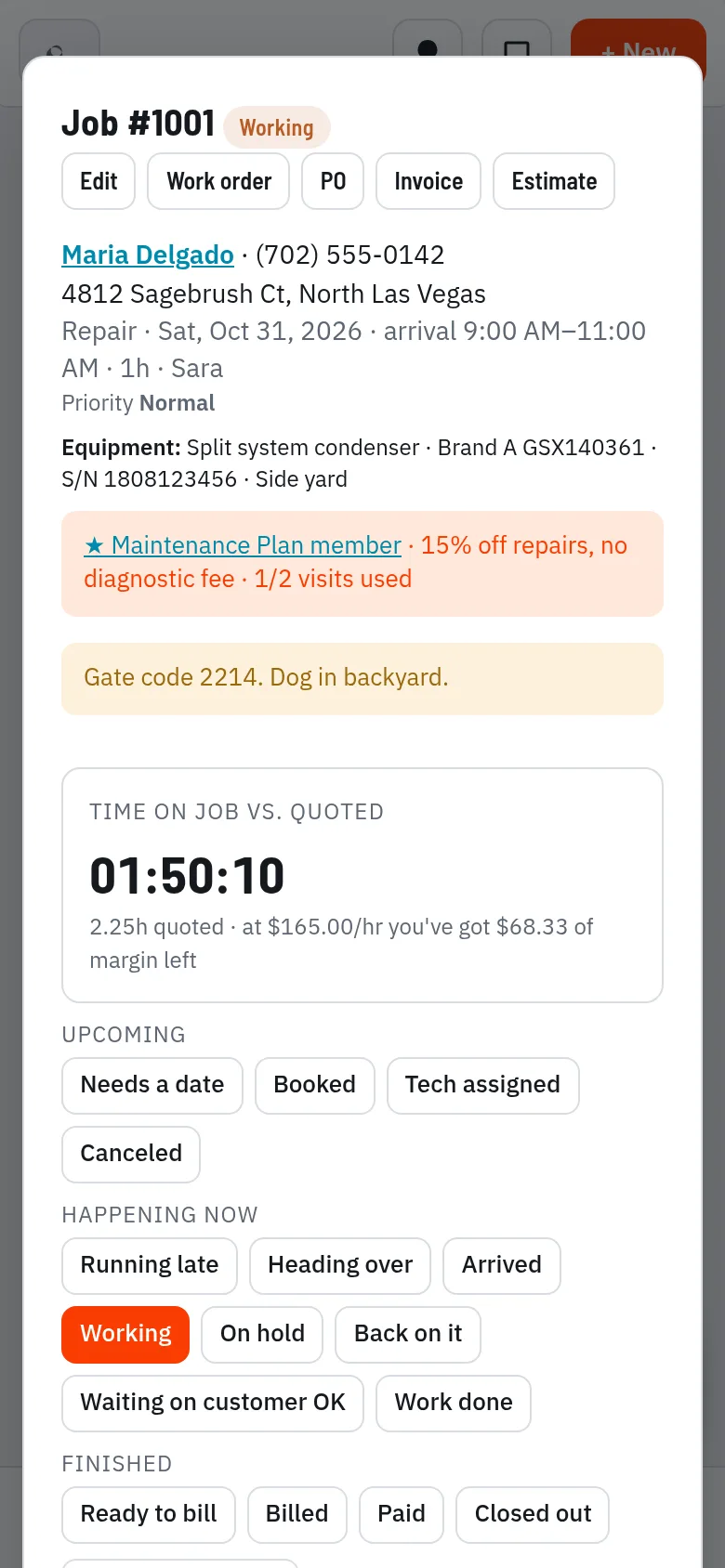
A job on the phone with status steps

A job on the phone

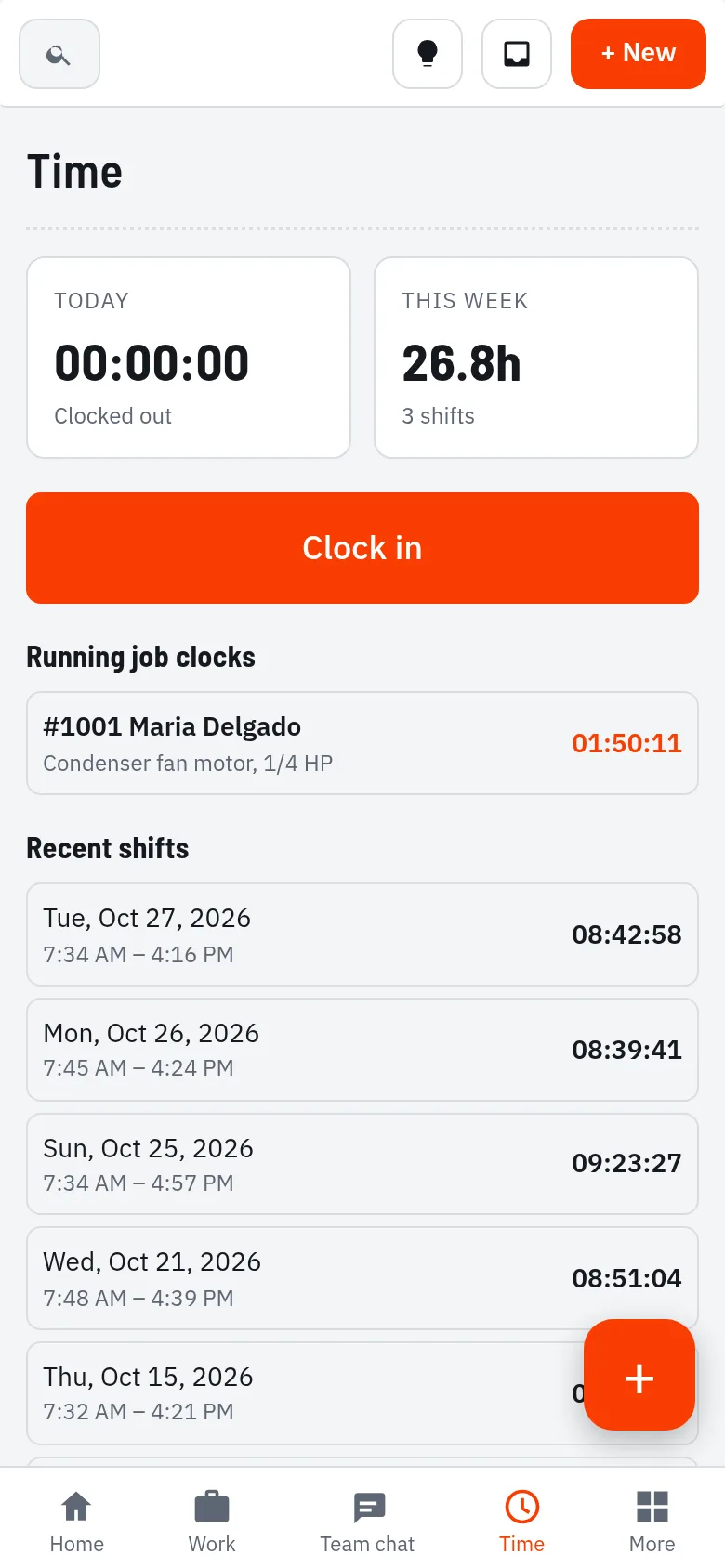
Time clock and recent shifts

Clock in and out

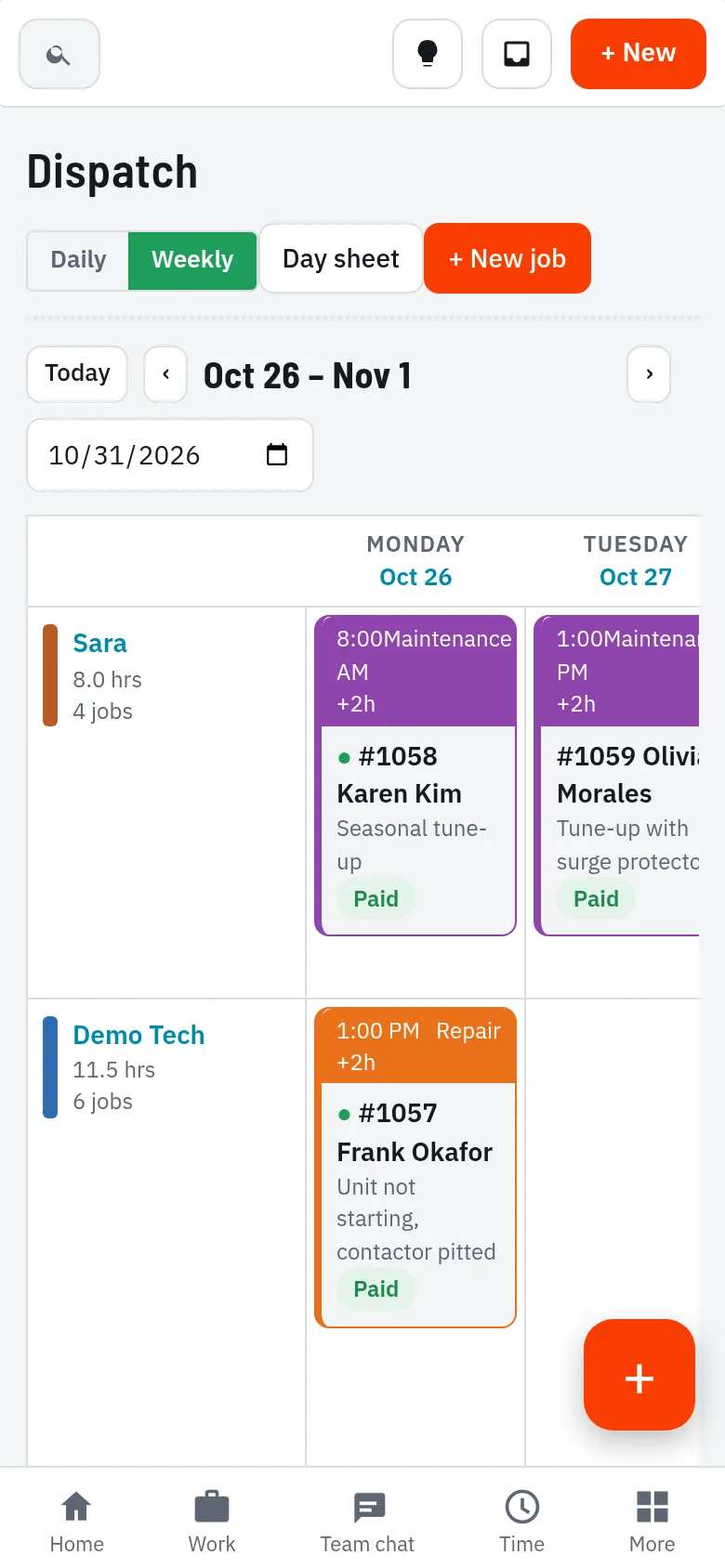
Schedule on a phone

Schedule on the go

Team chat on a phone (Pro and Elite)

Team chat (Pro and Elite)

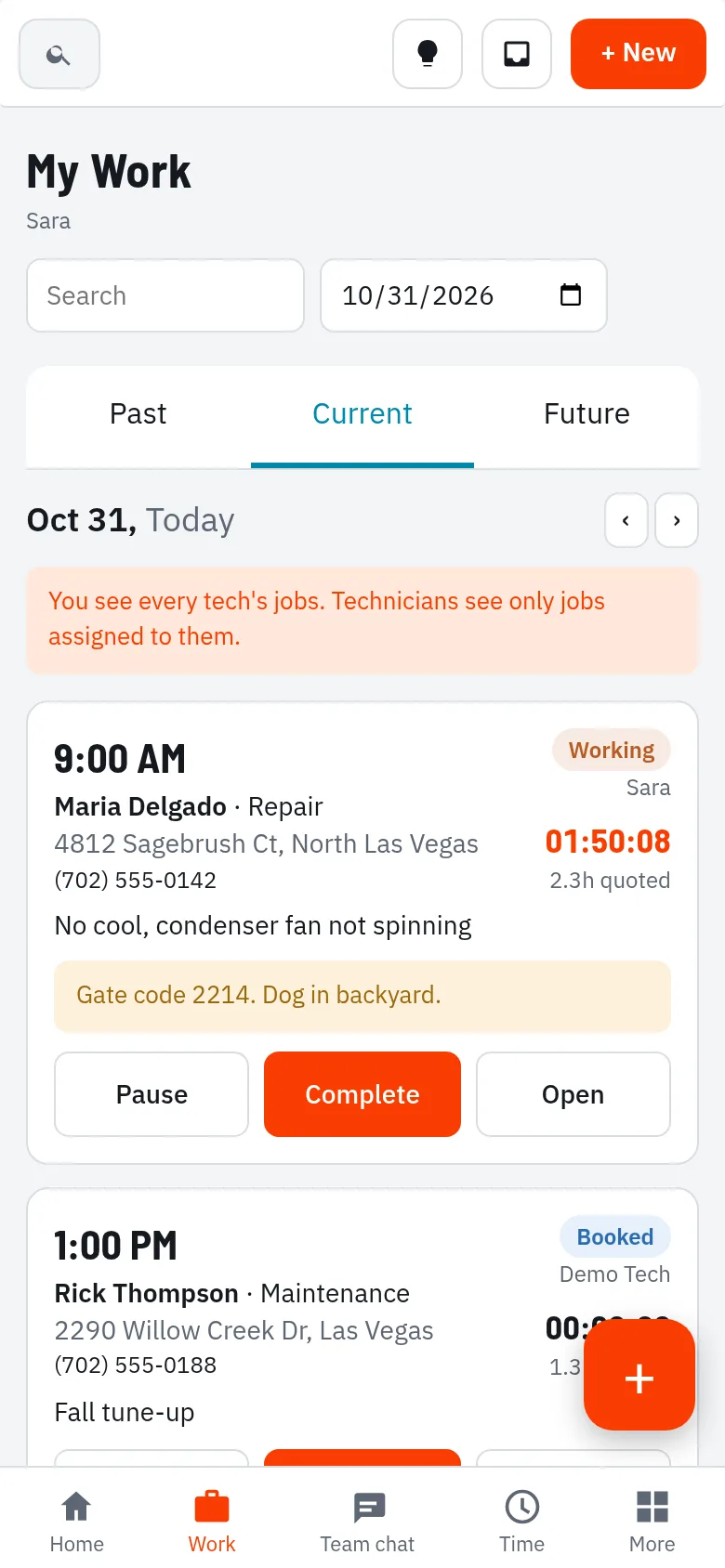
A technician’s day on a phone with Complete and Pause buttons

My work for the day

Customers list on a phone

Customers on the phone

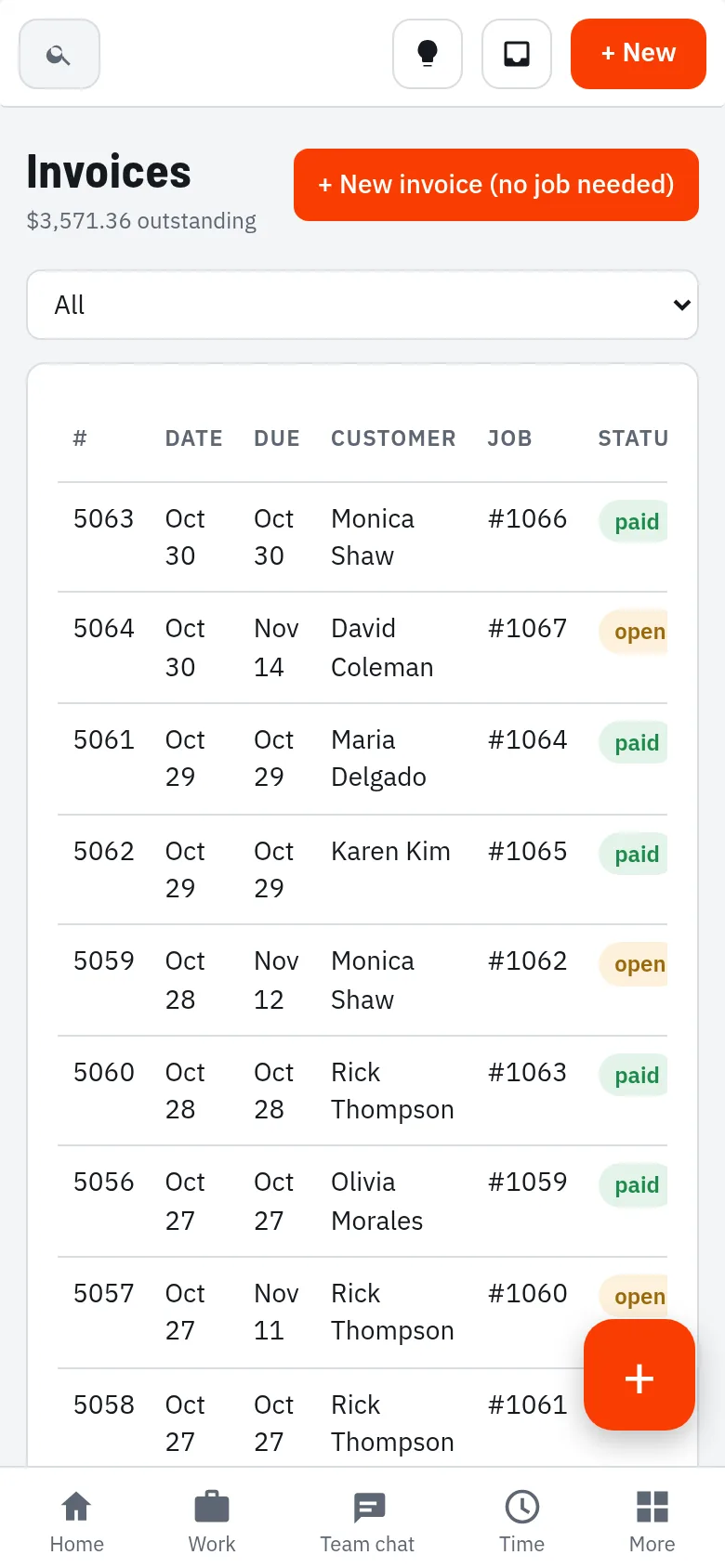
Invoices list on a phone

Invoices on the phone

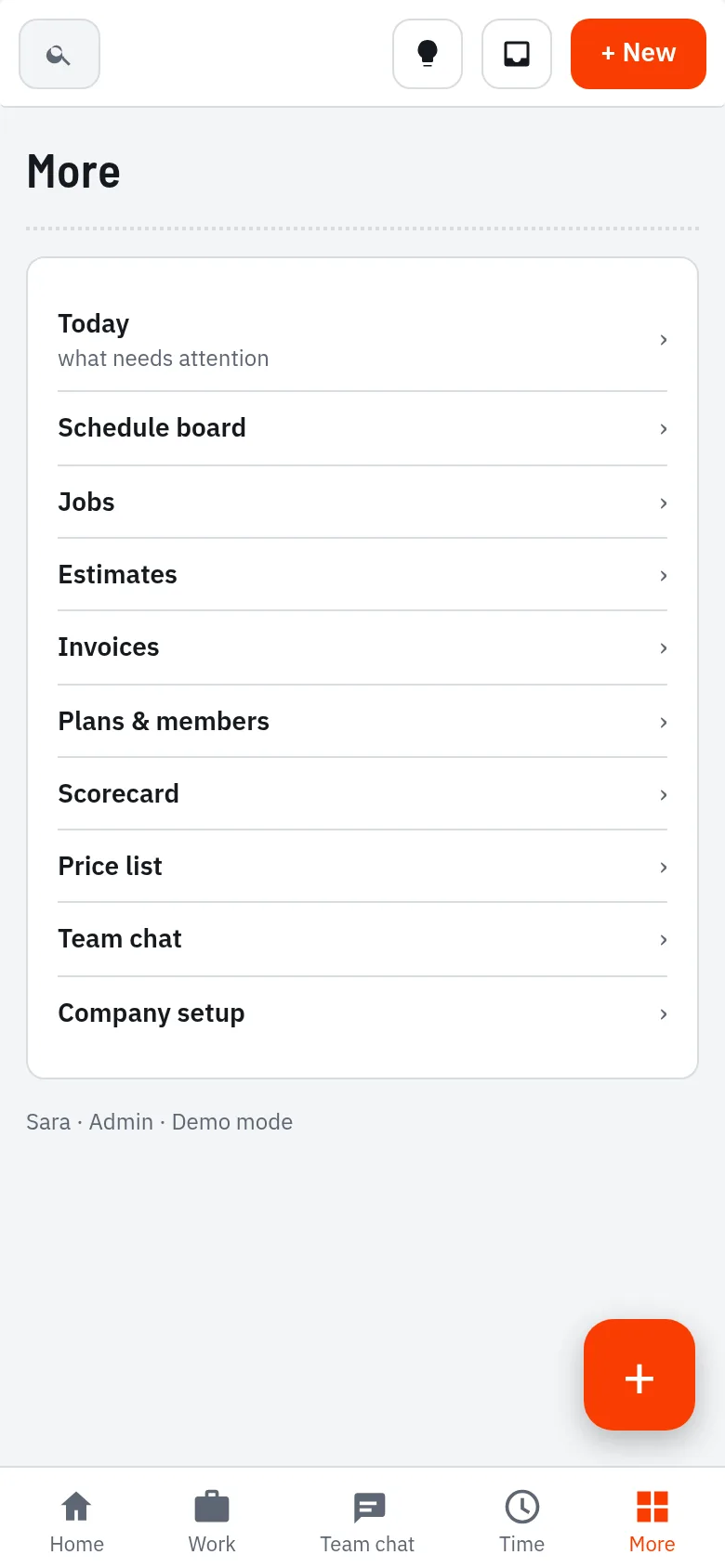
Menu with every part of Zuvrel on a phone

Everything, in your pocket

Try it on your phone in the sandbox

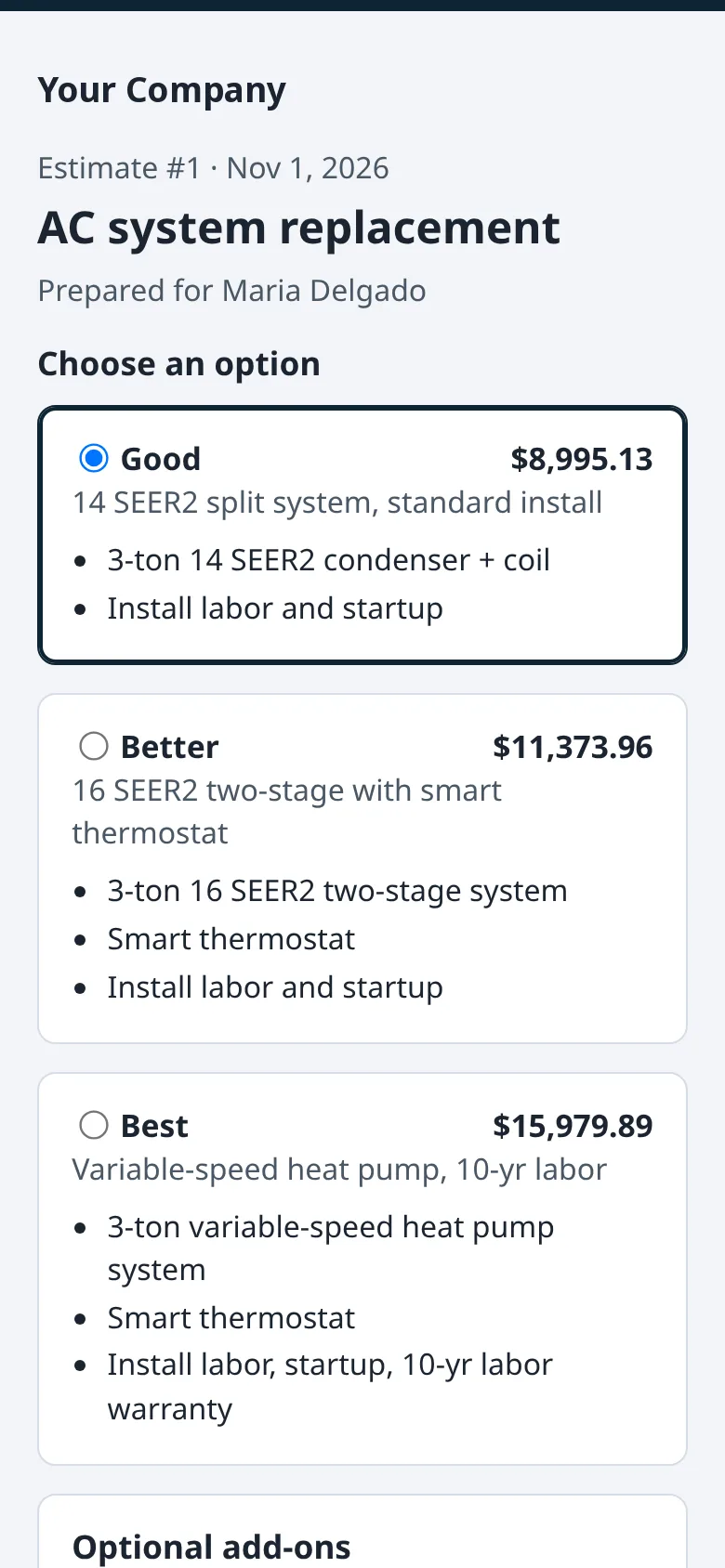
What your customers see

What your customer sees

On their phone, they pick an option, add extras, sign and approve. The approval shows up in Zuvrel right away.

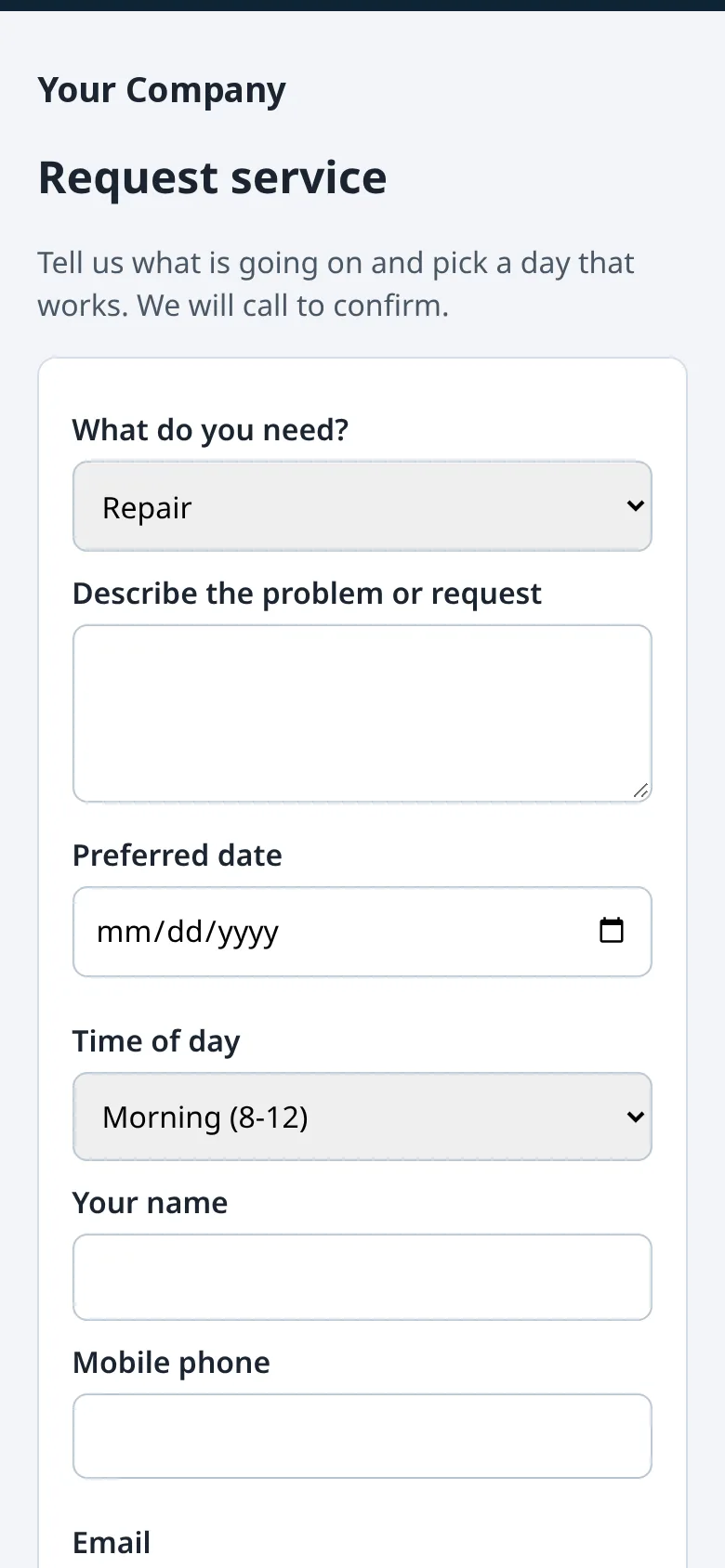
A booking page for your website

Customers request a day and time from their phone. It lands in Zuvrel as a job waiting for a date. Automatic review requests after each job (Pro and Elite).

Try the sandbox
Customer view of an estimate: choose an option, add extras, sign and approve

What your customer sees

A booking page for your website

A booking page for your website

Try your plan in a full sandbox before you sign up.

A working copy of Zuvrel with a sample shop already in it. Switch plans to see what each includes.

Try the sandbox

Try the sandbox

Try Zuvrel in a full sandbox

Try your plan in a full sandbox before you sign up: a working copy of Zuvrel with a sample shop already in it. Schedule jobs, build estimates, take payments. You get 48 hours; book a demo and we’ll open it for longer.

  1. Fill in the form with your business or personal email and a US mobile number that gets texts.
  2. Enter the code we email you and the code we text you. They work for 30 minutes.
  3. Your sandbox opens right away for 48 hours. What you enter stays in your browser.
  4. Ready to use it for real? Start your account from the sandbox: pick a password and your name, company, email, phone and state carry over. You start on Core, and we move you to the plan you tried during setup. No card now; billing starts when you go live.

One sandbox per email and phone. Want more time? Book a demo from the sandbox and we’ll open it for longer.

Questions? info@zuvrel.com

Plan to try

What you enter in the sandbox stays in your browser. No card needed. US shops only.